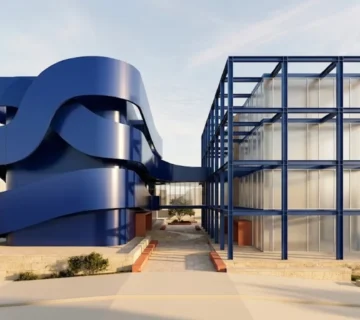
I’ve been there. You scroll through social media and stop dead on a stunning piece of artificial intelligence art. The lighting is perfect. The composition is flawless. The aesthetic is exactly what you need for your own project. I usually save the image, open my favorite generator, and try to guess the magic words the original creator used.
You type out a dozen descriptions. You hit generate. The result looks absolutely nothing like the original. It falls completely flat.
Here’s the harsh truth: guessing the exact text that birthed a specific image is a losing game. I’ve learned the hard way that the vocabulary of latent space is genuinely weird. Machines associate visual concepts with words that humans rarely group together. To recreate a specific visual style, I realized you have to stop guessing and start reverse engineering. You need to pull the source code directly from the pixels.
This is the core of reverse prompting. It allows you to generate text from an image, giving you the exact vocabulary required to command the machine. If you want to stop wasting hours trying to find the right adjectives, you can upload any image below to extract its underlying prompt structure instantly.
Image to Prompt
Convert an image into a detailed AI image prompt.
Drop image here or browse
Image Prompt
Table of Contents
- 1. Working backward: What is reverse prompting?
- 2. Reading art, not alphabets: OCR vs. Vision
- 3. Under the hood: The mechanics of image to prompt
- 4. Stealing the style: How to generate text from an image
- 5. Breaking it down: Deconstructing the output
- 6. Model dialects: Midjourney, Stable Diffusion, and FLUX
- 7. Frankenstein’s monster: Merging and modifying
- 8. Rookie errors: Common reverse prompting mistakes
- 9. Frequently Asked Questions
1. Working backward: What is reverse prompting?
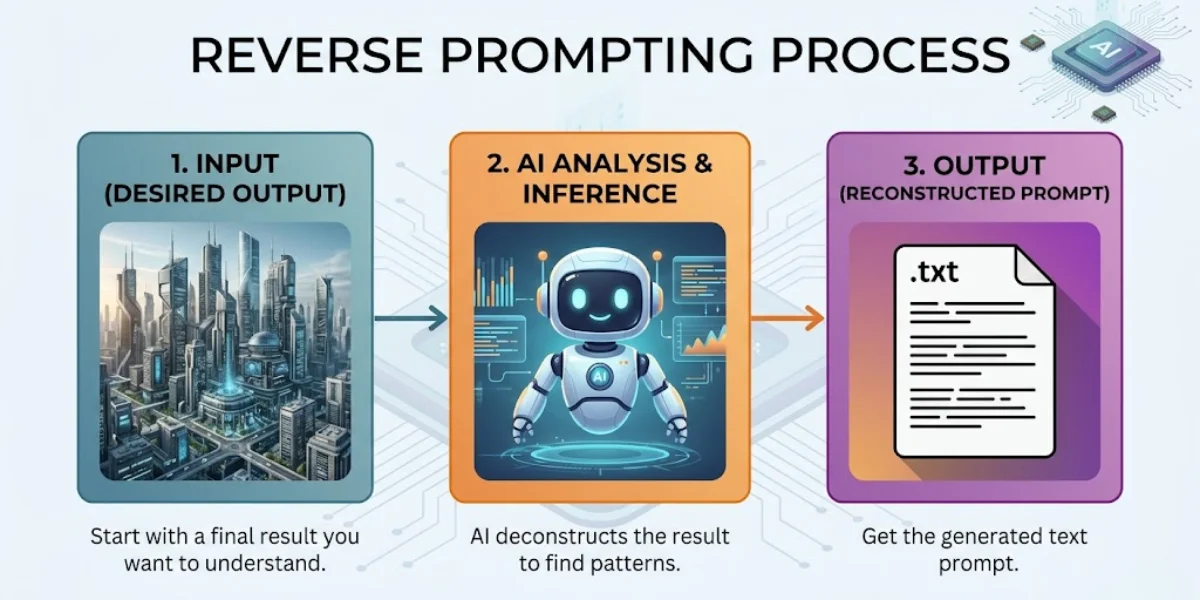
Reverse prompting is exactly what it sounds like—the exact opposite of traditional AI generation. Instead of starting with a text description to create a visual, I start with a visual to extract a text description. You provide the end result, and a specialized vision-language model (VLM) works backward to identify the specific keywords, lighting conditions, and aesthetic markers needed to recreate it.
Think of it as looking at a baked cake and having a professional chef hand you the exact recipe, down to the gram. That’s where things get interesting.
When you ask a system for a prompt from image, the AI does not just tell you what objects are in the frame. Any toddler can tell you there is a dog in a photo. A real reverse prompt engine tells you it is a “macro shot of a golden retriever, volumetric lighting piercing through morning fog, shot on 35mm lens, Kodak Portra 400 film stock, hyper-detailed texture.”
This level of extreme specificity is exactly what separates amateur generations from professional-grade AI art.
2. Reading art, not alphabets: OCR vs. Vision
I noticed people constantly confuse reverse prompting with optical character recognition (OCR). To be fair, they sound related, but they are completely different technologies serving entirely different purposes.
If you have a scanned document, a receipt, or a screenshot of a website and you want to extract the literal words written on that image, you need OCR. That technology strictly identifies typography. If that is your goal, you should run your file through a Free AI Image to Text Converter: 100% Accurate & Private OCR. It pulls the text data directly into a readable document.
Reverse prompting, on the other hand, ignores literal text. If I upload a photo of a stop sign, an image to prompt tool won’t just output the word “STOP”. Instead, it will analyze the octagonal shape, the specific shade of weathered red, the reflective material, the angle of the sun hitting the metal, and the depth of field blurring the background. It reads the art direction, not the alphabet.
3. Under the hood: The mechanics of image to prompt
To pull a prompt from image data, modern systems rely on sophisticated CLIP (Contrastive Language-Image Pretraining) interrogators paired with advanced multimodal models.
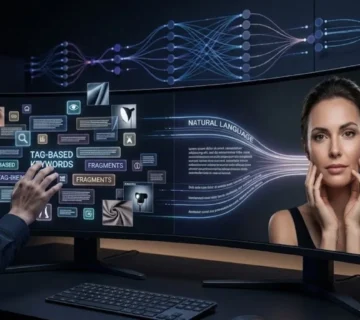
I remember when early iterations of this tech were clunky at best. They would spit out a jumbled list of disconnected tags. Today, the models actually understand context. When I upload a picture, the neural network scans it against billions of image-text pairs from its training data. It searches for mathematical similarities.
It essentially asks itself a series of rapid-fire questions: Is this a photograph or an illustration? If it is a photograph, what kind of camera likely took it? Where is the light source? What is the core subject? What is the emotional tone?
Once it compiles these answers, it synthesizes them into a highly structured sentence. You can learn more about how different models prefer this sentence to be structured by reviewing our guide on 7 Text-to-Image Prompt Formulas That Generate Flawless Art.
4. Stealing the style: How to generate text from an image
You don’t need a background in machine learning to pull this off. I’ve tested the workflow extensively, and the process is entirely user-friendly if you follow the correct sequence.
Step 1: Select the Target Image
Find an image that embodies the specific style or composition you want to mimic. It can be an existing AI generation you found on Pinterest, a classic painting, or a photograph from your own camera roll. I’ve noticed high-resolution images yield much better results because the vision model can analyze the finer details.
Step 2: Run the Extraction
Upload the file into a dedicated Free Image to Prompt Generator: Reverse Engineer Midjourney & AI Art. Wait a few seconds for the multimodal engine to process the pixels.
Step 3: Analyze the Output
The tool will usually provide a few variations of the prompt. One might focus heavily on the artistic style, while another focuses more on the literal subject matter. Read through them carefully.
Step 4: Isolate the Style Tokens
Here’s the catch: you rarely want to copy the prompt verbatim. If you do, you will just recreate the exact same image. Instead, extract the “style tokens.” These are the specific phrases dictating the lighting, medium, and aesthetic. I always delete the words describing the original subject, and insert my own subject.
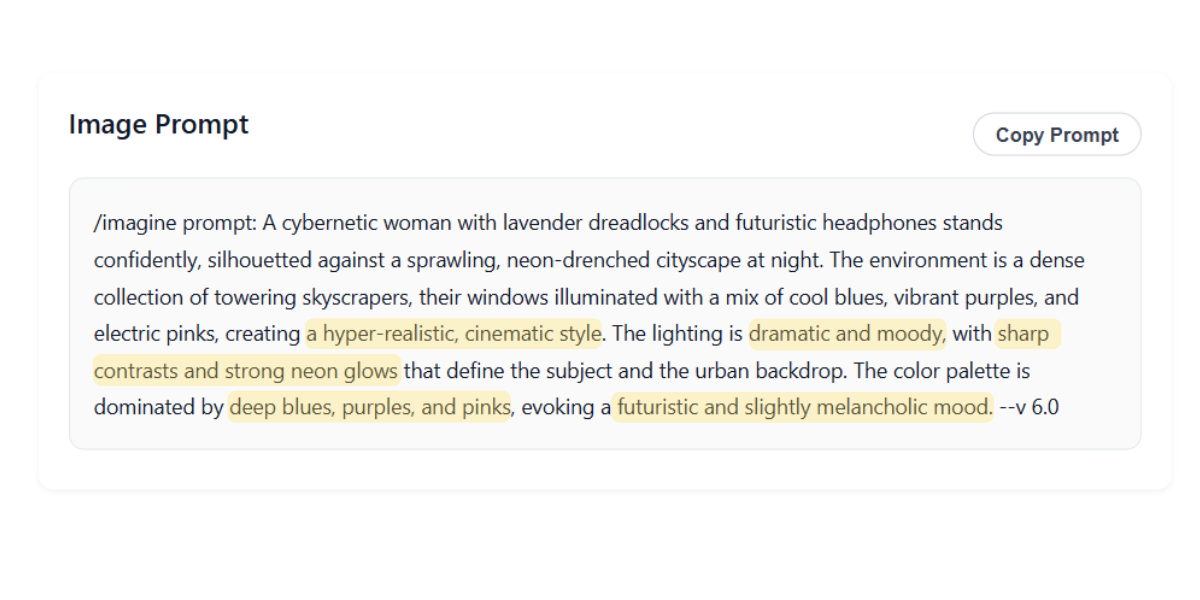
5. Breaking it down: Deconstructing the output
When you generate text from an image, the resulting string of words can look intimidating. Let’s break down the anatomy of what a high-quality reverse prompt actually provides based on my tests.
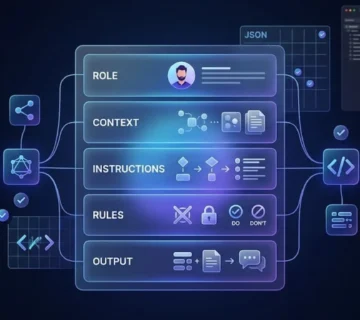
A standard extraction will contain these core elements:
- The Medium: Oil painting, 3D render, polaroid, macro photography, vector illustration.
- The Subject: The main focal point (e.g., a futuristic sports car, an elderly woman drinking coffee).
- Lighting Conditions: Volumetric lighting, chiaroscuro, cinematic rim light, harsh fluorescent, bioluminescence.
- Camera Specs: 85mm lens, drone shot, extreme close up, shallow depth of field, f/1.8 aperture.
- Aesthetic/Artist References: Cyberpunk, Art Deco, in the style of Studio Ghibli, synthwave.
If your generations are coming out with anatomical errors even after using a reverse prompt, the issue might not be the style tokens. It is usually a lack of negative constraints. You can fix these specific structural issues by studying Why Your AI-Generated Faces Look Weird (And How to Fix Them).
6. Model dialects: Midjourney, Stable Diffusion, and FLUX
Not all image generators speak the same dialect. A reverse prompt that works beautifully in one platform might completely fail in another. I learned quickly that you have to adapt the extracted text to your specific engine.
The Midjourney Approach
Midjourney absolutely loves poetic, highly descriptive language. It responds beautifully to artistic concepts and emotional weights. When I’m reverse engineering for this platform, I leave the flowery adjectives in. You will also need to manually append parameters like `–ar 16:9` or `–v 6.0` at the end of your extracted text to ensure the right aspect ratio. If you want a tool that formats this perfectly, try the Free Midjourney Prompt Generator.
The FLUX Approach
And yet, FLUX requires absolute literalism. It is a dense-captioning model. It does not care about your poetic vibes. It wants you to describe exactly where objects are placed in the frame. If the reverse prompt says “a melancholy atmosphere,” FLUX won’t know what to do. You have to change it to “a dark room with rain hitting the window.” To understand this technical gap deeply, read FLUX vs. Midjourney: The Ultimate Prompt Engineering Breakdown.
7. Frankenstein’s monster: Merging and modifying
The true power of an image to prompt workflow unlocks when you start combining ideas. You don’t have to limit yourself to a single source image.
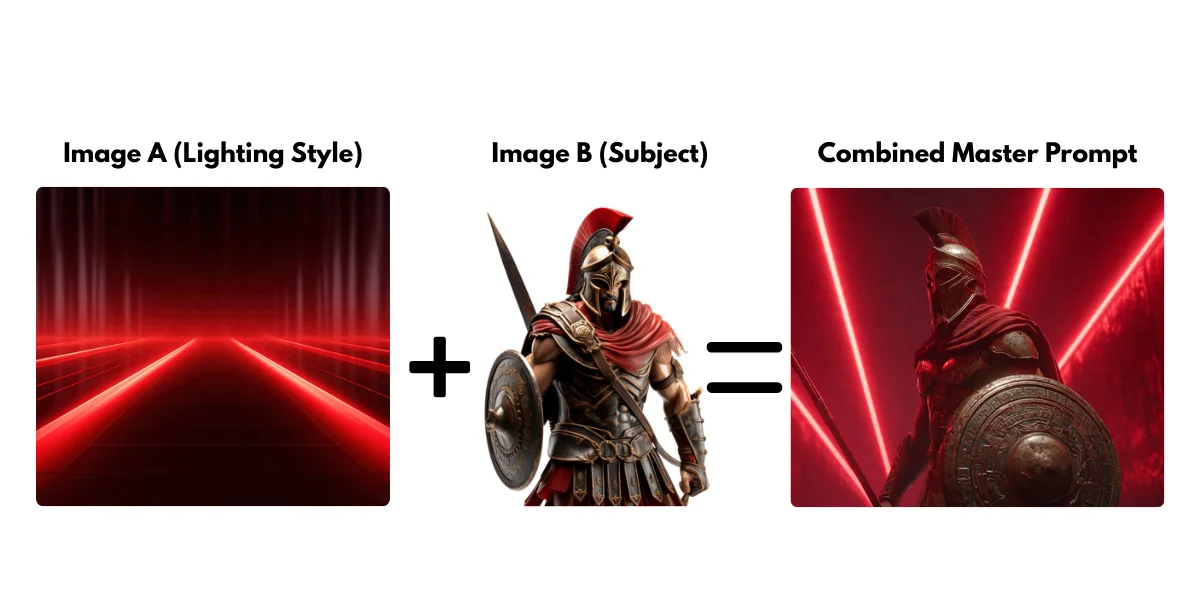
Imagine you love the lighting of a gritty sci-fi movie poster, but you love the character design of a fantasy video game. I routinely run both images through the generator. I extract the lighting tokens from the first prompt. I extract the character design tokens from the second prompt. Then, I combine them into a single, master prompt.
Which brings us to the result: an entirely new visual aesthetic that doesn’t exist anywhere else. It is highly specific and entirely yours. For a step-by-step masterclass on this specific technique, check out How to Merge Two Images into One AI Prompt (The Ultimate Guide).
8. Rookie errors: Common reverse prompting mistakes
Even with powerful extraction tools, human error can ruin the final output. I’ve made all of these mistakes, so watch out for these frequent pitfalls.
Over-Prompting
Sometimes an image to prompt tool will give you an overwhelming amount of detail. It might spit out 150 words. Feeding all 150 words back into an image generator often causes the model to hallucinate or ignore the core subject entirely. Edit the prompt down. I always keep the most impactful style tokens and delete the redundant adjectives.
Ignoring the Aspect Ratio
If you upload a tall, vertical portrait to be analyzed, the prompt it generates assumes a vertical framing. If you then paste that prompt into an engine and force a wide 16:9 aspect ratio, the composition will break. The machine will try to stretch a vertical concept across a horizontal canvas. Always match your target aspect ratio to the source material’s orientation.
Forgetting Negative Prompts
Reverse prompting tools tell you what is *in* the image. They rarely tell you what was excluded. If the original image was pristine and photorealistic, the original creator likely used strong negative prompts (e.g., “blurry, cartoon, illustration, deformed”). You must add these back in manually to maintain high quality.
9. Frequently Asked Questions
Can reverse prompting identify the exact original prompt used?
No. It cannot retrieve the literal keystrokes typed by the original user. Instead, it analyzes the visual data and generates a highly accurate equivalent prompt that will produce a nearly identical aesthetic result.
Does image to prompt work on real photographs?
Yes it does. Vision models do not differentiate between AI-generated images and real photographs. If I upload a photo taken on my iPhone, the tool will describe the lighting, setting, and subject, allowing you to recreate that exact photographic style using AI.
Why did the extracted prompt give me a different result?
Different AI models interpret text differently. Unsurprisingly, a prompt extracted from a Midjourney image might look completely different if you paste it into DALL-E 3. You absolutely must tweak the syntax to match the specific rules of the platform you are generating with.
Can I extract a prompt from a video?
You cannot upload a full video file into a standard image-to-prompt generator right now. However, you can easily take a screenshot of a specific frame of the video that has the lighting or composition you like, and run that still image through the tool.
Is it plagiarism to use a prompt extracted from someone else’s image?
Prompts themselves are not subject to copyright. Extracting a prompt to understand a lighting technique or an artistic style is a standard learning practice in AI engineering. That said, using that prompt to generate exact replicas of protected characters or specific artworks definitely raises ethical and legal concerns.
The Verdict: Stop guessing, start extracting
At the end of the day, reverse prompting isn’t magic—it’s just smart reverse engineering. The trade-off is that it takes an extra step, and you’ll still need to massage the output to fit your specific AI generator’s quirks. But the days of blindly guessing keywords and hoping for a masterpiece are over. Once you learn to pull the underlying source code from an image, you stop being a passive consumer of AI art and start controlling the machine on your own terms. Give it a try, and see what the pixels are really saying.