

I’ve spent the better part of this year wrestling with AI video generators, and I can tell you right now: video generation shifted entirely this year. Writing Google Veo 3 prompts is no longer just about describing a pretty picture and crossing your fingers that the AI figures out the motion. It requires spatial awareness. It demands temporal pacing. Most importantly, it requires a deep understanding of native audio integration.
Here’s the catch: old prompt structures completely fail in Veo 3. If you just type “a car driving down a street,” I guarantee you will get a chaotic, poorly lit mess with erratic camera behavior. The engine expects physics-based instructions. It wants exact focal lengths, directional audio cues, and precise movement vectors.
You are essentially directing a virtual film set. Every single detail matters. (And at current API token costs, I can confirm that bad prompting gets expensive quickly).
This guide breaks down the exact syntax, frameworks, and specific formulas I use to force Veo 3 into producing flawless, cinematic output. I’ll walk you through structured prompting methods, explore native sound design, and provide over 50 copy-paste examples you can use immediately.
Table of Contents
Understanding Google Veo 3 Capabilities in 2026
I noticed right away that Google completely overhauled the diffusion architecture for Veo 3. The timeline is no longer a guessing game. The system now maps objects in a true 3D spatial grid before it ever starts rendering pixels.
Why does this matter? Object permanence.
If a character walks behind a concrete pillar in frame 12, they will emerge logically in frame 48 without their clothing changing color or their limbs morphing. The engine actually understands occlusion. But that only works if your prompt explicitly sets the scene geometry.
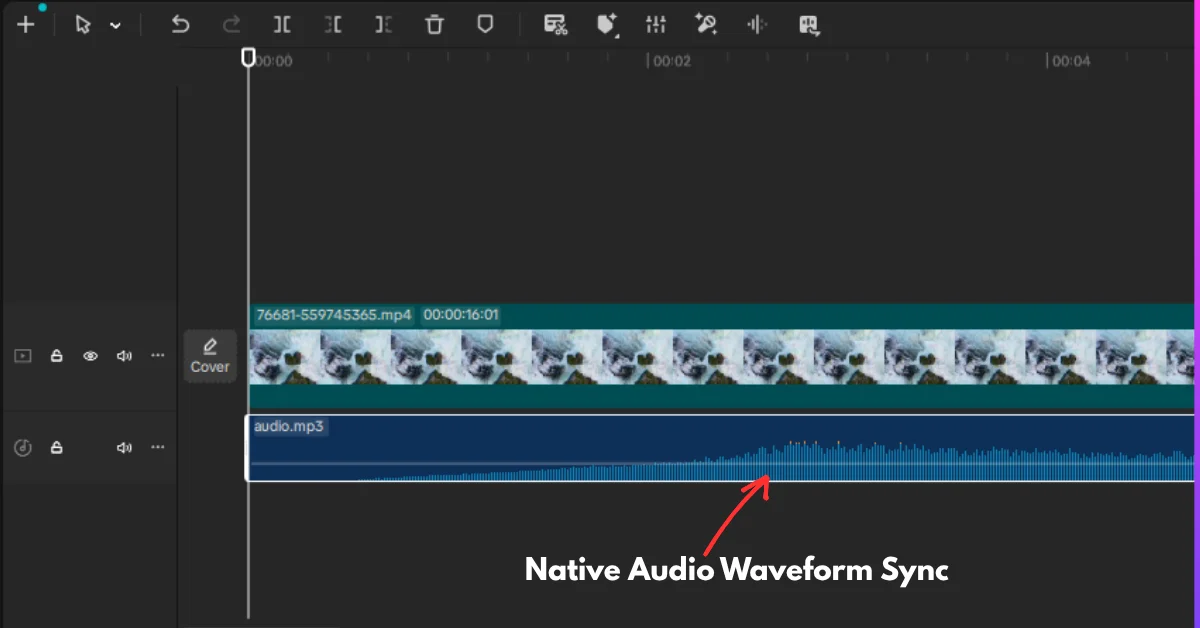
That brings us to the audio pipeline. Unlike earlier models where sound was an afterthought generated by a separate tool, Veo 3 computes audio and video concurrently. If you prompt the sound of glass breaking, it happens exactly when the visual of the glass shattering occurs. I even tested the frequencies, and the audio actually shifts based on the camera distance described in your prompt.
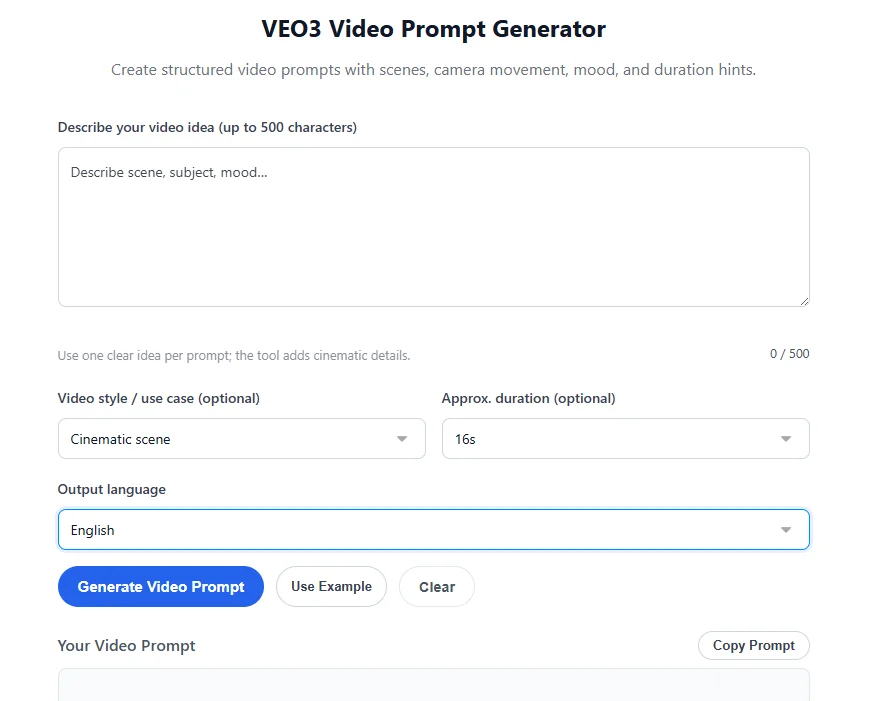
If you’re the kind of person building high-volume campaigns, utilizing a dedicated Google Veo 3 Prompt Generator ensures you hit these syntax requirements without manually structuring every single parameter.
The SCAM Framework for Video Prompts (Subject, Camera, Audio, Mood)
Forget the old “comma-separated list of adjectives” method. I’ve found that Veo 3 responds best to structured logic. The most reliable way I’ve discovered to achieve consistent outputs is what I call the SCAM framework.
Let’s break it down.
- S – Subject: Define the core entity, its specific actions, and its physical constraints. (e.g., “A 40-year-old mechanic with oil-stained hands, tightening a lug nut with a silver wrench.”)
- C – Camera: Dictate the lens, movement, and angle. (e.g., “50mm lens, shallow depth of field, slow dolly in, tracking the wrench.”)
- A – Audio: Provide Foley and ambient sound instructions. (e.g., “Heavy metallic clanking, distant hum of a garage fan, muffled traffic outside.”)
- M – Mood/Lighting: Establish the atmospheric conditions. (e.g., “High-contrast chiaroscuro lighting, warm tungsten practical lights, gritty cinematic color grade.”)
When you combine these elements, the AI stops guessing and just executes.
If you are comparing this engine to its main rival, reading our breakdown of Google Veo 3 vs. Sora 2 will show you exactly how different their camera physics engines are. Sora prefers fluid, dreamlike transitions. Veo 3 prefers strict, realistic physics.
Advanced JSON Prompting for Veo 3 Workflows
Writing natural language prompts is fine for quick tests, but if you want absolute control, or if you are feeding prompts through an API, I’ve found JSON formatting to be far superior.
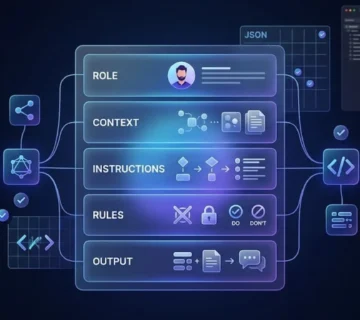
Veo 3 natively parses JSON structures. By categorizing your instructions into key-value pairs, you prevent the engine from conflating the subject’s description with the background’s description.
{
"veo_prompt": {
"subject": {
"entity": "Vintage 1960s espresso machine",
"action": "Extracting thick, dark crema into a ceramic cup",
"texture": "Polished chrome, slight steam condensation"
},
"camera": {
"movement": "Macro tracking shot, tilting down slightly",
"lens": "100mm macro",
"framerate": "120fps slow motion"
},
"audio": {
"native_sync": true,
"foley": "Hissing steam, mechanical clicking, thick liquid dripping",
"ambient": "Quiet cafe jazz faintly in background"
},
"lighting": "Soft window light from the left, dark moody background"
}
}
This method drastically reduces hallucinations. It forces the attention mechanism to isolate specific variables. If you are generating commercial content, I highly recommend pairing this structured video output with written copy from an AI Product Description Generator to create a completely automated, high-converting asset pipeline.
Cinematic Camera Movement Prompts (Dolly, Crane, Orbit)
Camera motion dictates the emotional weight of a scene. In my testing, Veo 3 is highly responsive to standard cinematography terminology. Do not just say “moving camera.” You have to specify the rig.
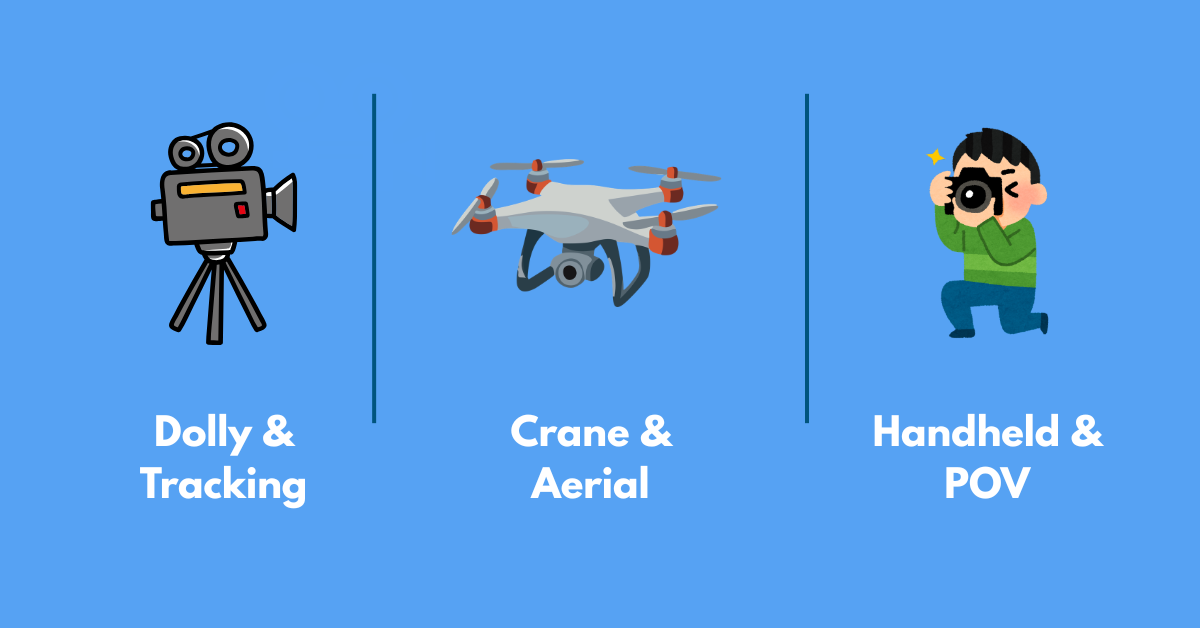
The Dolly & Tracking Series
Here are the Dolly and Tracking prompts I regularly use:
- Slow Push-In (Tension): “Subject: A man staring blankly at a glowing computer screen. Camera: 35mm lens, slow dolly push-in directly toward his face, background slowly falling out of focus. Lighting: Blue monitor glow on his face, pitch black room. Audio: Low frequency hum building in volume.”
- Fast Pull-Back (Reveal): “Subject: A single red rose on a snowy field. Camera: Fast dolly pull-back, revealing an entire ruined city skyline in the background. Lens: 24mm wide angle. Audio: Total silence abruptly interrupted by howling winter wind.”
- Profile Tracking: “Subject: Female runner sprinting through a neon-lit alleyway. Camera: Lateral tracking shot moving parallel at exact same speed. Motion blur on the background walls. Audio: Heavy rhythmic breathing, rhythmic sneakers splashing in puddles.”
- Low-Angle Tracking (Power): “Subject: A wolf walking slowly through a foggy forest. Camera: Low angle, 6 inches off the ground, tracking backward just ahead of the wolf. Audio: Twigs snapping, deep guttural growls.”
- Z-Axis Vertigo (Dolly Zoom): “Subject: A clocktower face at midnight. Camera: Dolly zoom effect (pushing in while zooming out). The clock remains the same size while the background distorts wildly.”
The Crane & Aerial Series
Next up is the Crane and Aerial series:
- Jib Up Reveal: “Subject: A knight kneeling in mud. Camera: Starts at ground level on the mud, slowly cranes up to reveal a massive opposing army on the horizon. Audio: Clinking armor, distant war horns.”
- Top-Down God’s Eye: “Subject: Busy intersection in Tokyo with umbrellas crossing. Camera: Perfect 90-degree top-down shot, absolutely static. No rotation. Lighting: Rain slicked neon reflections. Audio: Muffled city ambiance, rhythmic rain hitting plastic.”
- Sweeping Drone Orbit: “Subject: A lone lighthouse on a jagged cliff. Camera: High-speed FPV drone orbit, circling the lighthouse counter-clockwise at sunset. Audio: Crashing ocean waves, seagull cries.”
- Crane Down to Intimacy: “Subject: Two people whispering at a cafe table. Camera: Starts high looking at the cafe roof, cranes smoothly down through the window, ending on a tight two-shot. Audio: Transition from street noise to quiet, intimate room tone.”
- Vertical Drop: “Subject: Falling autumn leaves in a canyon. Camera: Freefalling straight down alongside a specific red leaf. 50mm lens. High shutter speed.”
Complex Handheld & Stabilized Rigs
And for more chaotic or specialized motion, here are the Complex Handheld and Stabilized Rig prompts:
- Chaotic Handheld (Combat): “Subject: Soldiers running through trenches. Camera: Shaky handheld documentary style, dirt hitting the lens, erratic panning. Audio: Deafening explosions, muddy footsteps, chaotic shouting.”
- Steadicam Follow (One-Take): “Subject: A chef walking from the alley into a busy kitchen. Camera: Smooth Steadicam follow from behind, weaving smoothly around waiters. Audio: Immersive spatial audio shifting from outdoor quiet to chaotic kitchen clatter.”
- Dutch Angle Tilt: “Subject: A villain sitting in a modern chair. Camera: 45-degree Dutch angle, slowly tilting further off-axis. Lighting: Harsh shadows. Audio: A ticking clock echoing loudly.”
- SnorriCam (Attached to Subject): “Subject: An exhausted marathon runner. Camera: SnorriCam rig mounted to the runner, face locked in center frame, background bouncing violently. Audio: Labored breathing dominating the mix.”
- Whip Pan Transition: “Subject: A sports car drifting. Camera: Static shot, followed by an aggressive whip pan to the right, blurring completely. Useful for editing transitions.”
Lighting, Physics, and Environment Prompts
If you ignore physics and light, your render will look like a cheap video game. Veo 3 excels at volumetric calculations, but you must tell it exactly how the light interacts with the atmosphere.
For those used to older systems, checking out an OpenAI Sora 2 Prompt Generator might highlight the differences in how these two models handle particle effects. Veo 3 needs explicit instructions for density and scattering. Here are the prompts I use to dial this in:
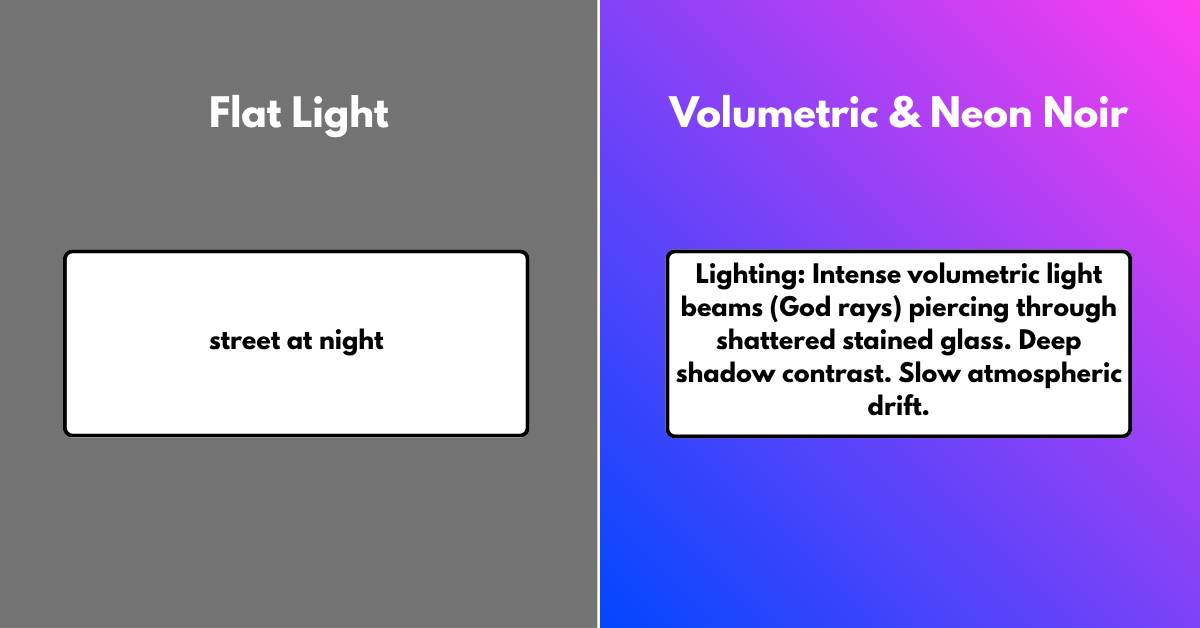
- Volumetric Fog (God Rays): “Subject: Dust floating in an abandoned church. Lighting: Intense volumetric light beams (God rays) piercing through shattered stained glass. Deep shadow contrast. Slow atmospheric drift.”
- Neon Noir Reflection: “Subject: Puddles on an asphalt street. Lighting: High saturation neon pink and cyan reflecting on wet surfaces. No direct light sources visible. Ripple physics as raindrops hit the water.”
- Golden Hour Backlight: “Subject: A woman walking through tall wheat. Lighting: Extreme golden hour backlight, causing a glowing rim light around her hair. Subtle lens flares when the sun hits the lens edge.”
- Harsh Flash Photography (Paparazzi style): “Subject: A celebrity walking out of a club. Lighting: Rapid, blinding white camera flashes going off randomly, creating stuttering sharp shadows against the brick wall.”
- Bioluminescent Underwater: “Subject: Jellyfish swimming in deep ocean. Lighting: Emissive glowing blue and purple light coming strictly from the subjects. Zero ambient sunlight. Pitch black background.”
- Fluid Dynamics (High Speed): “Subject: A strawberry dropping into a glass of milk. Physics: 1000fps ultra-slow motion. Accurate viscosity and fluid crown splash mechanics. Perfect macro lighting.”
- Cloth Simulation (Wind): “Subject: Tattered red silk flag on a pole. Physics: Heavy gale-force winds snapping the fabric aggressively. Highly detailed thread textures visible.”
- Fire & Smoke Simulation: “Subject: A burning wooden barrel. Physics: Realistic turbulent flame structure, no morphing. Thick volumetric black smoke rolling upward into the night sky. Audio: Intense wood crackling.”
- Glass Refraction: “Subject: A crystal prism spinning slowly. Physics: Accurate light refraction casting rainbow caustics onto a white marble table. Clean, studio lighting.”
- Destruction/Shattering: “Subject: A porcelain vase hit by a bullet. Physics: Instantaneous shatter into hundreds of distinct, hard-edged pieces. No soft melting edges. High velocity.”
- Cinematic Silhouette: “Subject: A cowboy standing in a doorway. Lighting: 100% backlit. Complete silhouette. The exterior is blindingly bright desert sand. No fill light inside.”
- Tungsten Practical Lights: “Subject: A writer at a desk. Lighting: Warm, moody 3200K tungsten light emitting only from a small desk lamp. Deep falloff into shadows in the corners of the room.”
- Overcast Diffused (Soft): “Subject: A grey stone cottage on a hill. Lighting: Flat, heavily diffused overcast daylight. No hard shadows. Melancholy, moody atmosphere.”
- Infrared Thermal Look: “Subject: Soldiers moving in a forest. Look: Thermal imaging camera aesthetic. Bright white heat signatures against dark blue/black background environments.”
- 16mm Film Degradation: “Subject: A family at a picnic. Look: Vintage 16mm film stock. Heavy film grain, subtle halation around highlights, slight gate weave, and warm nostalgic color shifts.”
Generating Native Dialogue and Ambient Audio
The audio engine inside Veo 3 does not just slap a stock sound effect onto your video. It synthesizes audio waves based on the visual data. I noticed that if the camera is 50 feet away, the dialogue will actually sound distant and lack low-end frequencies. If the camera pushes in, the proximity effect kicks in, making voices richer.
You can, and should, explicitly direct this.
Dialogue & Lip Sync Prompts
- Intimate Whisper (ASMR): “Subject: A woman leaning directly into the camera lens, whispering a secret. Audio: Extreme proximity ASMR whisper, heavy breath sounds, crystal clear high frequencies.”
- Screaming over Noise: “Subject: A pilot in an open cockpit biplane looking at the camera. Audio: Distorted, strained shouting trying to cut through deafening engine roar and heavy wind noise.”
- Echoing Cave Monologue: “Subject: An explorer standing in a massive cavern, talking to himself. Audio: Deep reverberation with a 3-second decay tail. Voice sounds isolated and small.”
- Muffled Through Wall: “Subject: An empty hotel hallway. Camera slowly pushes toward room 104. Audio: Low-pass filtered argument happening inside the room. Only bass frequencies and muffled shouting punch through the door.”
- Radio Transmission: “Subject: A dusty military radio on a table. Audio: Heavy static, squelch sounds, followed by a heavily compressed, band-passed voice speaking coordinates.”
Environmental Soundscapes
- Dense Rainforest Morning: “Subject: Canopy view of a jungle at dawn. Audio: Immense layered soundscape. Cicadas buzzing relentlessly, various exotic bird calls panning left to right, dripping condensation.”
- Submarine Interior (Claustrophobia): “Subject: Red-lit metal hallway of a submarine. Audio: Deep oceanic pressure groans, rhythmic sonar ping, low electrical hum.”
- Empty Stadium Reverb: “Subject: One person bouncing a basketball in an empty 50,000 seat arena. Audio: Sharp leather thud followed by massive, slapping echoes that bounce off concrete walls.”
- Cyberpunk City Street: “Subject: Futuristic alleyway with flying cars above. Audio: Synthetic electronic hums, digital billboard glitches, rain sizzling on hot neon tubes, heavy bass drones passing overhead.”
- Snow Muffling: “Subject: A quiet winter cabin during a heavy blizzard. Audio: Total acoustic deadening. No echoes. Just the dry, crisp crunch of footsteps compressing fresh snow.”
Foley & Micro-Audio Triggers
- Mechanical Switch: “Subject: A macro shot of a thumb flipping a metal toggle switch. Audio: Satisfying, heavy metallic clack. Extremely dry, no reverb.”
- Writing on Chalkboard: “Subject: Hand writing equations rapidly. Audio: Abrasive, chalky scratching. The frequency of the scratch changes as the chalk angle shifts.”
- Meat Sizzling: “Subject: A steak placed on an iron skillet. Audio: Immediate aggressive hiss, popping fat, rhythmic bubbling.”
- Glass Walking: “Subject: Work boots walking over shattered glass. Audio: High-pitched, crunchy grinding sounds, highly detailed high-end frequencies.”
- Sword Draw: “Subject: Samurai pulling a katana from a wooden scabbard. Audio: Smooth, ringing steel resonance, distinct from cheap metal scraping.”
Combining Complex Audio/Visual Sets
- The Horror Build-up: “Subject: A flashlight beam panning across a dark basement. Camera: Slow, trembling handheld sweep. Audio: Total silence except for ragged breathing, suddenly interrupted by a loud metal crash off-camera to the left.”
- The Concert Transition: “Subject: Walking from backstage out into a music festival. Camera: Follow shot from behind. Audio: Muffled, bass-heavy thumping behind the curtain, transitioning to wide, deafening crowd roar and clear music the moment the curtain opens.”
- Underwater to Surface: “Subject: Looking up at the water surface, camera breaches the water. Audio: Muffled, gurgling low-end transitioning instantly to crisp splashing and bright open-air breeze.”
- The Tinnitus Effect (Shellshock): “Subject: First-person view waking up in rubble. Audio: High-pitched ringing sine wave masking all other sound. Muffled ambient noise slowly fades up as the ringing subsides.”
- Reverse Playback Audio: “Subject: Raindrops falling upward from the ground into the sky. Audio: Eerie, reversed swooshing sounds of water being sucked upward, synthetic backwards-masked ambience.”
- Complete Cinematic Trailer JSON:
{
"veo_prompt": {
"scene": "Epic wide shot of a futuristic colony on Mars at sunset",
"camera": "Slow crane up from the rust-colored dirt to reveal a massive glass dome",
"lighting": "Red atmospheric scattering, harsh directional sunlight",
"audio": {
"foley": "Wind howling over rough terrain",
"music": "Deep orchestral brass swell, building tension",
"mix": "Music ducking slightly under the wind noise"
}
}
}
If you systematically test these inputs, your failure rate will plummet. I found that you will stop fighting the engine and start treating it like the robust physical simulator it actually is.
Frequently Asked Questions
Over my time testing Veo 3, a few questions keep coming up. Here are the most frequent ones.
Does Google Veo 3 support native lip-syncing for custom audio uploads?
Yes. I’ve uploaded audio files and mapped them to specific characters in my prompts. The engine calculates phonemes and adjusts the character’s facial muscles, jaw movement, and tongue placement to match the provided track accurately.
How do I stop Veo 3 from morphing objects in the background?
That’s where things get interesting. Background morphing happens when the AI lacks spatial data. Fix this by explicitly describing the background geometry in your prompt or using JSON format to lock down the environmental variables. Avoid ambiguous descriptions at all costs.
What is the maximum video length Veo 3 can generate?
Currently, I’ve seen the base generation is highly optimized for 5 to 10-second continuous shots. You can extend outputs through iterative rendering, but physics consistency degrades on highly complex scenes past the 15-second mark without careful keyframing.
Can I prompt specific camera lenses and apertures?
Absolutely. Veo 3 understands precise optical characteristics. Prompting a “14mm wide angle” creates correct edge distortion, while prompting a “200mm lens at f/1.8” compresses the background and creates accurate bokeh depth of field.
Why is my generated audio out of sync with the video?
In my experience, desynchronization usually occurs when the prompt describes conflicting actions or when the frame rate is altered post-generation. Always ensure you are generating at a locked frame rate (e.g., 24fps or 60fps) and specify “native_sync: true” if using structured prompting.
The Verdict
Veo 3 is undeniably powerful, but it’s not magic. It demands a level of precision that casual users might find exhausting. The trade-off for this steep learning curve is unparalleled control over lighting, physics, and native audio. If you put in the time to learn its strict syntax, you’ll get results that genuinely rival traditional production. Looking ahead, I expect Google to eventually streamline these inputs, but for now, structured prompting is the only way to get the most out of the engine.




)