
If you’ve spent years writing Stable Diffusion prompts like masterpiece, best quality, photorealistic, 8k, detailed skin, cinematic lighting, FLUX.1 can make your carefully trained prompting instincts feel strangely obsolete. I’ve watched creators move the same giant comma-separated prompt into FLUX, expect an upgrade, and then wonder why a simple descriptive sentence produces a cleaner image. That’s the problem this FLUX 1 prompting guide is designed to fix.
The mistake is treating FLUX.1 as another checkpoint that simply wants better tags. I don’t prompt it that way. FLUX responds far more usefully when I describe a finished scene with relationships, actions, materials, lighting, composition, and photographic intent instead of throwing disconnected visual keywords at the text encoder.
That shift matters especially for photorealism. If you’re moving between different image models, the Promptsera AI prompt generator library gives you a central directory for choosing the right prompt workflow rather than forcing one syntax onto every model.
Stable Diffusion Prompt Generator
Create positive and negative prompts tailored for diffusion models.
Stable Diffusion Prompts
I’m going to break down the difference between legacy tag stacks and FLUX-style natural language, then get much more specific: spatial relationships, readable typography, hands interacting with objects, real photographic lighting, lenses, motion, Dev versus Schnell, and why FLUX.1 Kontext belongs in a different part of the conversation than most comparison charts suggest.
Table of Contents
- Why FLUX.1 Replaces Comma Tags with Natural Language
- A Better FLUX.1 Prompt Architecture
- Prompting Precise Typography, Hands, and Spatial Relationships
- Studio Photography Descriptors for FLUX Photorealism
- FLUX.1 Dev vs Schnell vs Kontext: What Actually Changes
- Building Structured Diffusion Prompts with Promptsera
- Frequently Asked Questions
- The Verdict
Why This FLUX 1 Prompting Guide Replaces Comma Tags with Natural Language
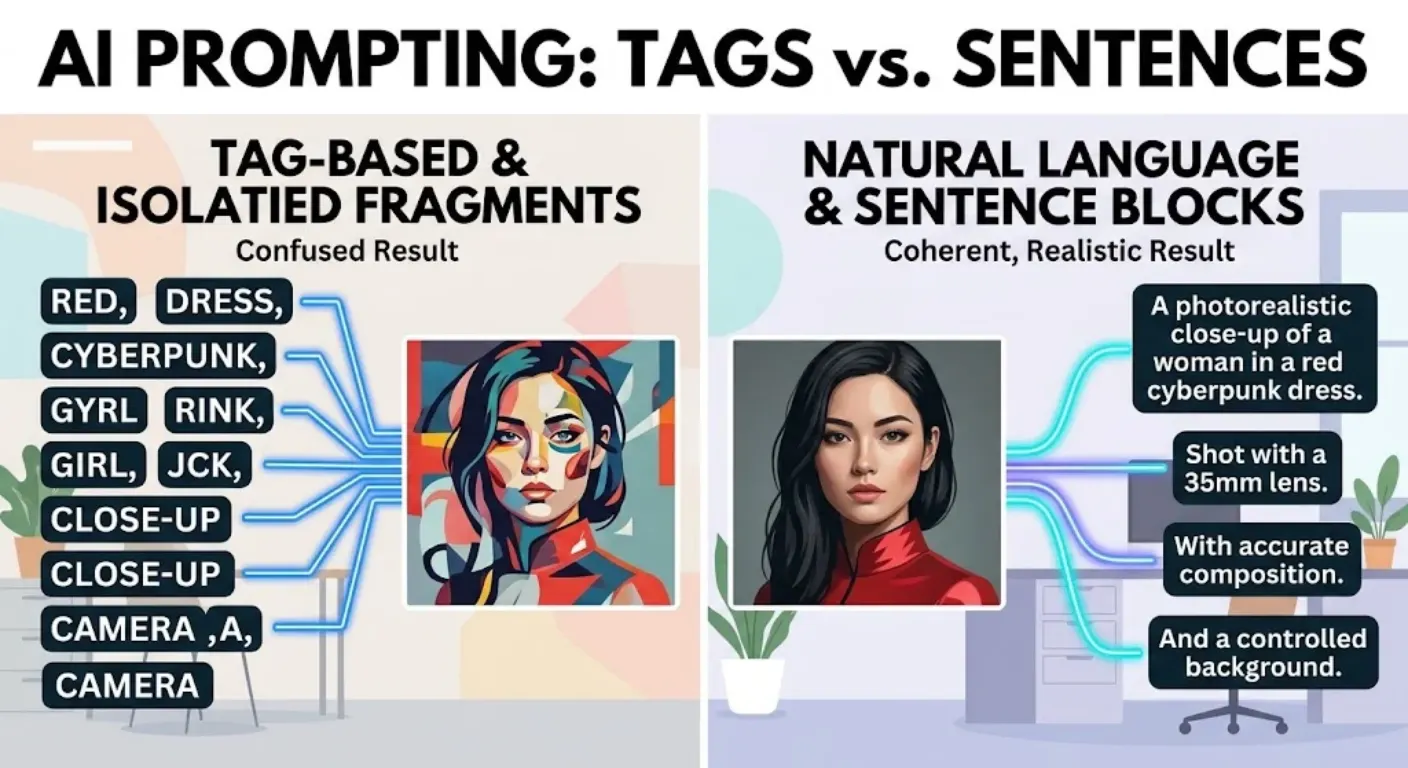
I still see FLUX prompts written as if we’re using an old booru-tag-trained Stable Diffusion workflow. They’ll contain 40 fragments separated by commas, several redundant quality adjectives, bracket weighting, and words such as “masterpiece” repeated three different ways. I think that’s the wrong starting point.
FLUX.1 can interpret natural-language relationships between concepts. That means I can tell it that a woman is sitting behind a glass table, that her left hand is resting on a closed book, that a lamp is positioned behind and to her right, and that warm light from that lamp creates a narrow rim along her shoulder. Those relationships contain far more useful information than four disconnected tags such as “woman, book, lamp, rim light.”
Compare these approaches:
woman, cafe, red coat, coffee, window, rainy street, photorealistic, cinematic, masterpiece, 8k, ultra detailed, bokeh, beautiful lighting, realistic skin, professional photographyI would rewrite that for FLUX more like this:
A candid waist-up photograph of a woman in her early thirties wearing a dark red wool coat, seated alone beside the front window of a quiet cafe. She holds a white ceramic coffee cup with both hands while looking through the glass at a rainy street outside. Soft overcast daylight enters from the window on her left, producing gentle facial shadows and realistic reflections on the glass. Natural skin texture, slightly damp loose hair, shallow depth of field, photographed with an 85mm portrait lens.The second prompt doesn’t merely contain more words. It contains more relationships. That’s the important distinction.
I also avoid assuming that old emphasis syntax such as parentheses, nested brackets, or arbitrary numeric weighting is universally meaningful in FLUX workflows. When an element matters, I prefer to give it structural priority: mention it early, describe it unambiguously, and connect it physically to the scene.
If I’m starting from a reference image rather than an idea in my head, I often use the Promptsera Image to Prompt Generator to identify the visible subject, composition, materials, illumination, and lens characteristics first. I then rewrite that information as one coherent FLUX description.
A Better FLUX.1 Prompt Architecture
I don’t believe in a magical FLUX prompt formula. I do believe in information hierarchy. When a prompt becomes complicated, I use a predictable order so the most important visual decisions aren’t buried beneath decorative details.
- Subject: What is the main thing the viewer should notice?
- Action and pose: What is the subject physically doing?
- Spatial relationships: Where are important subjects and objects relative to one another?
- Environment: Where does the scene happen, and what genuinely needs to be visible?
- Composition: Close-up, full body, overhead, low angle, centered, asymmetrical, foreground/background relationship.
- Lighting: Source, direction, size, softness, temperature, intensity, and resulting shadows.
- Material detail: Skin, fabric, wood, stone, metal, glass, moisture, wear, imperfections.
- Camera behavior: Focal length, depth of field, exposure character, motion rendering, perspective.
- Finish: Editorial, documentary, commercial product photography, filmic, clean digital, or another intentional treatment.
Notice what isn’t at the top: “8K,” “award-winning,” “trending,” “insanely detailed,” and a dozen synonyms for beautiful. I care much more about visible causes.
Here’s a simple example:
A weathered fisherman in his late sixties stands at the stern of a small wooden fishing boat, pulling a wet green rope toward his chest with both hands. His body leans slightly backward from the tension. Gray ocean water fills the background and a low coastline is barely visible through morning mist. Cold overcast light creates soft shadows across his face. His yellow rubber jacket is wet, creased and stained from use. Documentary photograph, eye-level composition, 50mm lens, natural depth of field and restrained color.I like this because almost every phrase earns its place. “Pulling a wet green rope toward his chest” helps define hand position. “Leans slightly backward from the tension” gives the pose a physical cause. “Cold overcast light” explains why shadows should be soft. Photorealism becomes a chain of consistent decisions rather than a style keyword.
Prompting Precise Typography, Hands, and Spatial Relationships
This is where natural-language prompting becomes much more interesting. Typography, hands, and multi-object compositions are not three unrelated problems. All three depend heavily on binding: the model has to understand exactly which attribute belongs to which object.
For visible text, I put the intended wording in quotation marks and describe where that text physically exists. I don’t just append a phrase like “text: COFFEE HOUSE” to the end of an unrelated scene.
A small independent coffee shop photographed from across the street at blue hour. Above the entrance is a rectangular cream-colored sign with the exact words "NORTH STREET COFFEE" printed in large dark green serif letters. The sign is centered directly above the wooden front door. Warm interior light glows through the two windows on either side of the entrance. Wet pavement reflects the storefront lighting.I use the same logic with hands. “Beautiful hands” is almost useless. “Hands holding cup” is better but still leaves a lot unresolved. I describe the interaction.
Close-up photograph of a ceramic artist shaping a gray clay bowl on a spinning pottery wheel. Her left palm supports the outside wall of the bowl while the index and middle fingers of her right hand press gently against the inner rim. Both hands are wet with thin gray clay slip. Individual fingernails, knuckle folds and fine skin creases are visible. The rotating bowl remains centered between her hands.Now the model knows which hand is doing what, where the bowl sits, and how the fingers relate to its surface.
Spatial scenes deserve the same discipline:
A rectangular dining table viewed from slightly above. A white ceramic teapot sits in the center. Two blue cups are placed to the left of the teapot, one slightly behind the other. A small plate containing three croissants is positioned to the right. A folded beige napkin lies in the foreground near the bottom edge of the table. No objects overlap the teapot.Here’s the catch: adding more nouns without relationships can make a complex prompt worse. If I need six distinct elements, I don’t merely list six elements. I tell FLUX who owns each attribute and where every important element lives.
Studio Photography Descriptors in a FLUX 1 Prompting Guide
I get better photorealism when I stop asking for “photorealism” and start describing why the image should look photographic. A real photograph contains optical decisions, physical light sources, material responses, imperfections, exposure behavior, and perspective. Those are excellent prompt ingredients.
Lens language is useful when it expresses a visual intention. I use an 85mm portrait lens when I want compressed perspective and a flattering portrait distance. A 35mm lens makes more sense for environmental portraiture. A wider lens near the subject can emphasize foreground scale and depth. I don’t scatter random camera model names into every prompt and expect realism to magically appear.
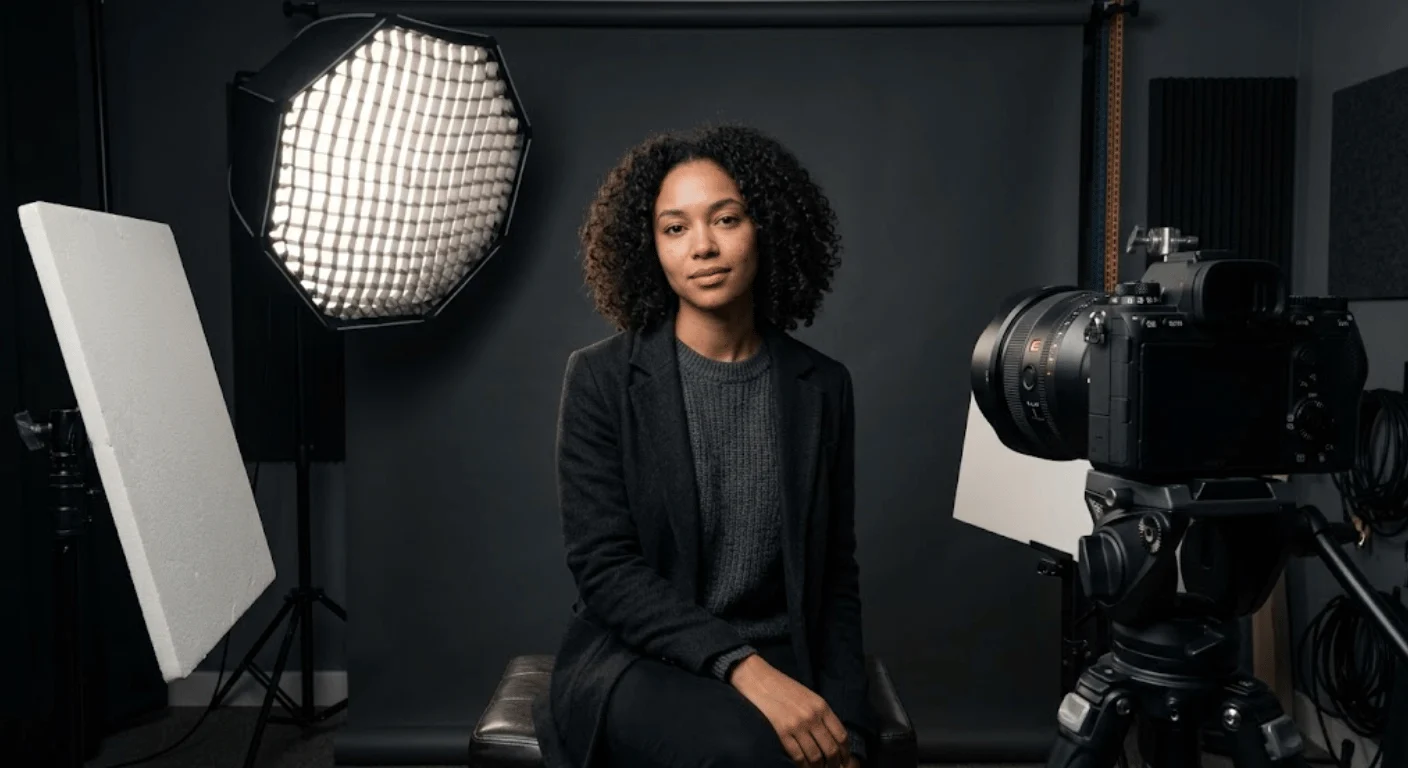
Lighting deserves even more attention. Instead of writing “cinematic lighting,” I might specify a large softbox positioned high and 45 degrees to camera left, weak fill from a white reflector on the opposite side, and a narrow rim light separating dark hair from a charcoal background.
Studio head-and-shoulders portrait of a 42-year-old man wearing a textured charcoal wool jacket over a plain black shirt. He faces the camera with a relaxed neutral expression. A large softbox positioned 45 degrees to camera left and slightly above eye level creates broad soft illumination across the left side of his face. A white reflector on camera right provides weak fill while preserving natural shadow depth. A narrow strip light behind him creates a subtle rim along his right shoulder. Natural pores, faint forehead lines, individual beard hairs and slight under-eye texture remain visible. Photographed from eye level with an 85mm portrait lens at a moderately shallow depth of field. Neutral white balance, restrained contrast, clean commercial portrait photography.For product photography, I care about reflection geometry even more:
A premium product photograph of a matte black wristwatch standing upright on a dark gray stone surface. The watch is turned 20 degrees toward camera right so both the circular face and case thickness remain visible. A large rectangular softbox above and to camera left creates one long, controlled highlight along the curved glass. A narrow white bounce card on the right creates a faint edge reflection on the black metal case. The stone surface has fine irregular mineral texture and a soft contact shadow directly below the watch. Shot with a 100mm macro lens from slightly above face level, crisp focus across the watch face with gradual falloff behind the case, commercial studio photography with neutral color reproduction.Shutter speed becomes relevant when something moves. A cyclist frozen in mid-air calls for a different photographic behavior than headlights stretching into long trails at night. Again, I describe the visible consequence instead of adding technical numbers with no visual purpose.
- Fast shutter behavior: Crisp airborne water droplets, frozen hair movement, sharp athlete motion.
- Slow shutter behavior: Motion trails, flowing water, blurred pedestrians, vehicle light streaks.
- Wide aperture behavior: Shallow focus, soft background circles, narrow focal plane.
- Stopped-down behavior: Deeper focus across architecture, interiors, landscapes, or products.
If I want help constructing this hierarchy from scratch, the free Image Prompt Generator gives me a cleaner starting point than padding a short idea with generic quality words.
FLUX.1 Dev vs Schnell vs Kontext: What Actually Changes?
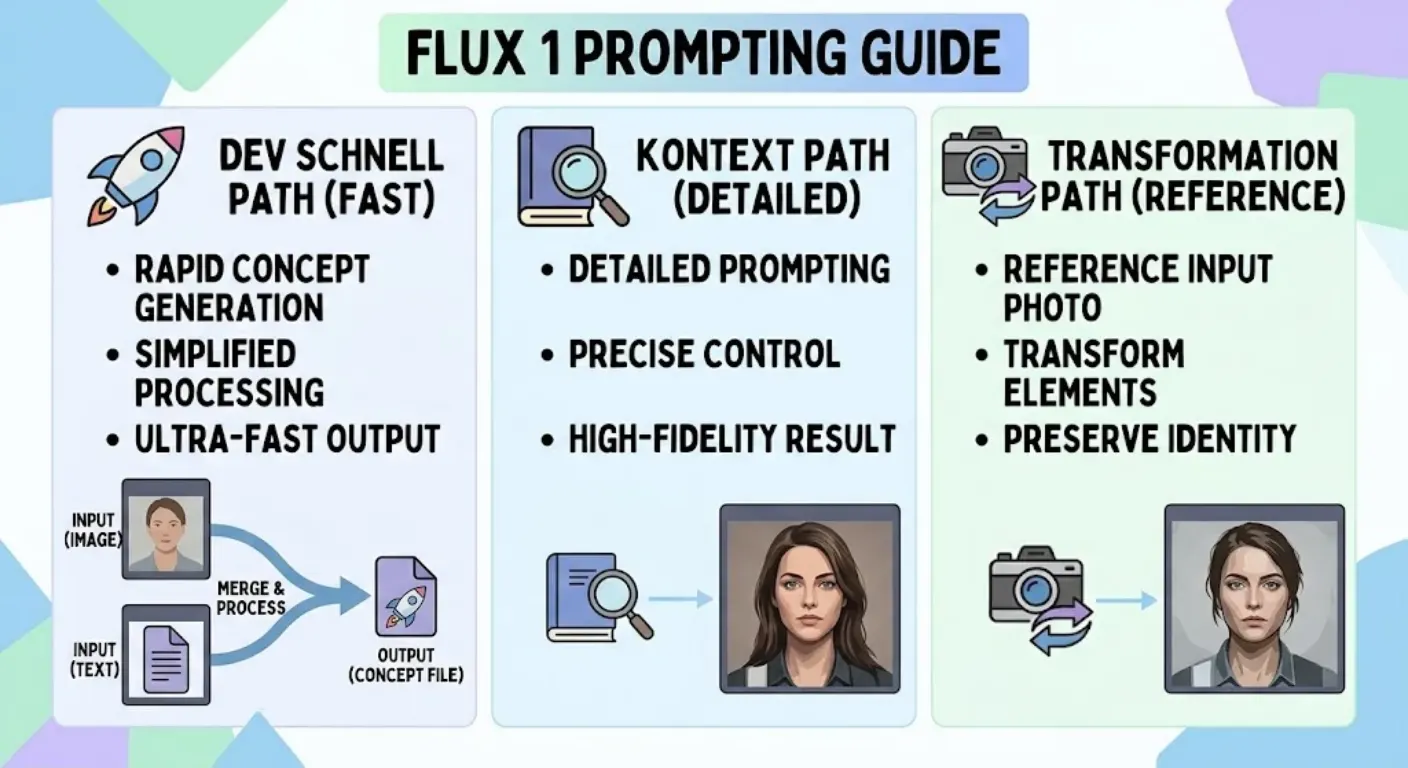
This comparison needs a correction that I think many articles skip. FLUX.1 Dev and FLUX.1 Schnell are reasonable models to compare as text-to-image variants. FLUX.1 Kontext is not simply the third rung of the same speed-versus-quality ladder. Kontext accepts image context and is designed around image generation and editing with visual input, so I treat its prompting workflow differently.
FLUX.1 Schnell is the variant I associate with speed and rapid iteration. Because it is designed to produce results in very few sampling steps, I keep the instruction focused. I wouldn’t give Schnell a huge creative brief if a compact description communicates the same idea.
A candid street photograph of a young chef closing a small restaurant after midnight, carrying two stacked wooden chairs through the doorway, warm tungsten light behind him, wet pavement outside, 35mm documentary photography, natural shadows and restrained color.FLUX.1 Dev is where I become more comfortable specifying detailed material behavior, exact relationships, composition, and nuanced photographic instructions. I still avoid needless verbosity, but I give the scene enough structure to make the additional detail useful.
A waist-up documentary portrait of a young chef standing just outside a small restaurant after closing time. He carries two wooden dining chairs stacked upside down against his chest, gripping the chair legs with both hands. Warm tungsten light from the restaurant doorway illuminates the right side of his face while cool blue street light fills the left. Fine rain is visible against the dark storefront. The pavement is wet and reflects the doorway light in broken amber streaks. His white apron is slightly wrinkled and stained from the evening shift. Eye-level 35mm photography, realistic skin texture, moderate depth of field, understated documentary color.FLUX.1 Kontext changes the job because an input image can already provide identity, composition, objects, or style information. When I edit with image context, I spend less of the prompt redundantly describing what is already correct and more of it describing the requested transformation plus the details that must remain unchanged.
Change the scene from daytime to a rainy evening. Keep the same woman, facial appearance, pose, coat, camera angle and street composition unchanged. Replace the daylight with cool blue evening ambient light and warm illumination from the shop windows. Add realistic rain on the pavement and subtle reflections beneath the existing subjects. Do not add or remove people or change the woman's clothing.That distinction matters. A text-to-image prompt describes the finished image largely from nothing. An image-edit prompt describes a delta: what should change relative to information the model already sees.
And yet, the underlying rule remains remarkably consistent across all three workflows: be explicit about relationships and priorities. Schnell rewards economical clarity. Dev gives me room for richer scene specification. Kontext requires precise editing intent and preservation instructions.
Building Structured Diffusion Prompts with Promptsera
Natural language doesn’t mean unstructured language. That’s one of the biggest misconceptions I see. The best prose prompt can be extremely systematic underneath even though it reads naturally on the surface.
I usually build the information in modules first, then turn those modules into connected prose:
- Core subject: One unambiguous main subject.
- Physical state: Pose, expression, clothing, materials, condition.
- Action: A specific verb plus the object receiving that action.
- Scene: Only environmental details that matter visually.
- Spatial map: Left, right, foreground, background, behind, above, below, touching.
- Light map: Source, direction, hardness, temperature, shadow result.
- Camera map: Framing, viewpoint, lens behavior and movement rendering.
- Finish: Documentary, editorial, commercial, architectural, macro, filmic, or another deliberate treatment.
Suppose my rough concept looks like this:
black perfume luxury woman hand marble dark background studio light realistic expensive adI wouldn’t send that directly to FLUX if precision matters. I’d use those fragments as raw requirements and construct the scene:
Close-up luxury product photograph of a rectangular black glass perfume bottle standing on pale gray veined marble. A woman's right hand enters from the upper-right edge of the frame and gently rests two fingertips against the black cap without covering the bottle label. A large softbox positioned above and to the left creates a controlled vertical reflection along the bottle's front edge. A narrow rim light separates the right side of the black glass from the charcoal background. The marble remains softly illuminated with visible natural veining. Shot from slightly below bottle height with a 100mm macro lens, crisp focus on the bottle and fingertips, gradual depth-of-field falloff, restrained luxury fragrance campaign aesthetic.The transformation isn’t “add more adjectives.” It’s “convert disconnected requirements into a physically coherent image.”
That’s also how I use Promptsera’s Stable Diffusion Prompt Generator. I treat the generated result as a structured starting brief, then tune the syntax and detail level for the specific diffusion model I’m running.
One habit improves this process dramatically: I change one category at a time when testing. If the composition is good but the light is wrong, I rewrite the light. If the subject is correct but the material feels plastic, I refine the material description. Rewriting the entire prompt after every generation destroys your ability to learn what actually caused the improvement.
Unsurprisingly, I also save successful prompts with the model name, seed, aspect ratio, and relevant generation parameters. A prompt without its inference context is not a reproducible experiment.
PROMPT TEST Model: FLUX.1 Dev Goal: Natural editorial portrait Subject: Middle-aged violin maker examining a finished violin. Interaction: Instrument supported horizontally in both hands; eyes focused on bridge. Environment: Small wood workshop, tools softly visible behind subject. Light: Large north-facing window to camera left; no artificial key light. Camera: 50mm environmental portrait, eye level, moderate depth of field. Material priorities: Real wood grain, aged hands, cotton apron, subtle dust. Change for next test: Keep everything fixed. Move the camera slightly lower and increase background separation only.That is prompt engineering I can actually learn from.
Frequently Asked Questions
How do you write a good prompt for FLUX.1?
I start with the main subject, then describe its action, important spatial relationships, environment, composition, lighting, materials, and photographic or artistic treatment. FLUX responds well to natural-language descriptions, so I prefer connected sentences over a long list of disconnected quality tags. For complicated scenes, I put the most important visual information early and keep decorative details secondary.
Does FLUX.1 work better with natural language prompts?
Yes. Natural language is particularly useful because it lets me describe how subjects and objects relate to one another instead of merely naming them. A sentence such as “the woman holds the cup in her left hand while her right hand rests on the table” communicates relationships that a tag list such as “woman, cup, hand, table” does not establish clearly.
What is the difference between FLUX.1 Dev and Schnell?
FLUX.1 Schnell is optimized for fast generation in very few inference steps, making it useful for rapid iteration and applications where speed matters. FLUX.1 Dev is aimed at higher-quality non-commercial research and development workflows and gives me more reason to write detailed prompts involving materials, lighting, composition, and complex relationships. I generally keep Schnell prompts focused and allow more controlled descriptive detail with Dev.
Does FLUX.1 support negative prompts?
I don’t build my core FLUX.1 prompting method around traditional Stable Diffusion negative-prompt boxes. Support can vary by implementation, wrapper, or additional guidance technique. For a portable FLUX prompt, I prefer positively describing the desired state and making important constraints explicit. If a particular interface provides its own negative-guidance implementation, I treat that as a platform-specific control rather than assuming it is native behavior shared by every FLUX workflow.
How do I make FLUX images look photorealistic?
I describe the causes of photographic realism instead of repeatedly using the word “photorealistic.” That means plausible light sources, lens behavior, perspective, depth of field, skin and material texture, environmental imperfections, realistic reflections, and physically believable subject interactions. An 85mm portrait with large-window side light, visible pores and natural shadow falloff gives the model much stronger photographic direction than “ultra realistic, masterpiece, 8K.”
The Verdict
The biggest adjustment I recommend after years of Stable Diffusion-style prompting is simple: stop thinking like a tag collector and start thinking like a photographer, director, or visual designer. A strong FLUX prompt doesn’t just name a woman, chair, window and lamp. It explains who the woman is, what she’s doing, where the chair sits, which window supplies the light, how that light reaches her face, and what the camera sees. That’s why natural language is more than a formatting preference. It gives the model relationships.
If you want a structured starting point instead of manually converting fragmented ideas into coherent diffusion instructions every time, use the Promptsera Stable Diffusion prompt builder and then adapt the generated description to the FLUX principles above: subject first, explicit relationships, physically meaningful photographic details, and no wasted quality-tag soup.