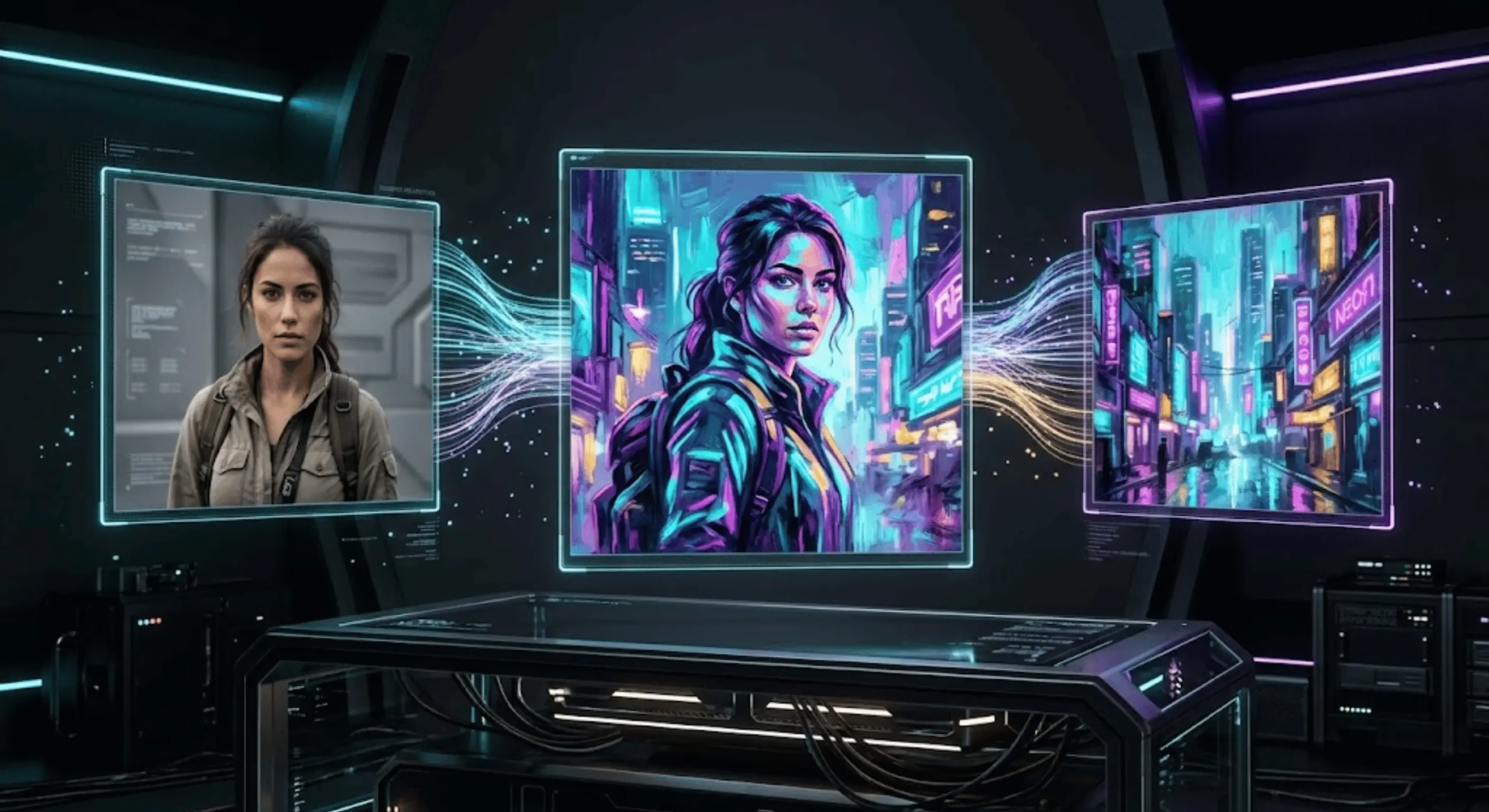
You upload a portrait you love. Then you upload a second image with exactly the cinematic lighting, grain, colors, and atmosphere you want. The result should be obvious: keep the person from the first image and borrow the visual treatment from the second. Instead, the generator changes the face, steals objects from the style reference, mangles the clothing, and produces something that looks halfway between both images.
I’ve seen this happen constantly with multi-reference workflows. The problem usually isn’t that the model cannot understand two images. The problem is that the prompt never tells it what each image is responsible for. A weak instruction such as “combine these images” forces the model to decide which details deserve preservation and which details should be transferred. I don’t like leaving that decision to chance.
A good blend two images AI prompt works more like an art director’s brief. It identifies the source of the subject, defines the source of the aesthetic, names the characteristics that must remain unchanged, and describes one coherent final frame. If you’re building prompts across several models, our complete AI prompt generators directory also gives you a central place to find the appropriate visual prompting tool.
Two Images to Prompt
Merge content from image 1 with style/mood from image 2 into one prompt.
Drop image here or browse
Drop image here or browse
Merged Image Prompt
I’m going to show you the exact structure I use for subject-versus-style separation, reference weighting, artifact prevention, Midjourney and FLUX workflows, and one technique that matters more than most people realize: defining what the second image is not allowed to contribute.
Table of Contents
- How a Blend Two Images AI Prompt Actually Works
- Subject Isolation vs. Aesthetic Weighting
- The Reference Contract: What Each Image Can Contribute
- Avoiding Common Artifacts in Multi-Image Combinations
- Step-by-Step Blend Two Images AI Prompt Workflow for Midjourney and FLUX
- Generating Dual-Reference Prompts Instantly with Promptsera
- Making One Dual-Image Prompt Work Across Different Models
- Frequently Asked Questions
- The Verdict
How a Blend Two Images AI Prompt Actually Works
I think the word “blend” causes half the confusion around this technique. You’re rarely trying to mix every visible characteristic of Image A with every characteristic of Image B at a perfect 50/50 ratio. That would be useful for experimental art, but it’s a poor default for controlled work.
Most practical jobs are asymmetric. Image A might provide a person, product, building, pose, or composition. Image B might provide film grain, illumination, palette, brushwork, material treatment, lens character, or atmosphere. The final prompt needs to preserve that asymmetry.
I mentally break each reference into visual layers before writing anything:
- Identity: The person, object, character, product, or architecture that must remain recognizable.
- Geometry: Shape, proportions, pose, camera angle, silhouette, and spatial relationships.
- Surface: Materials, texture, brushwork, grain, finish, and rendering technique.
- Lighting: Direction, softness, contrast, shadow behavior, highlights, and color temperature.
- Palette: Dominant colors, saturation, tonal range, and color relationships.
- Atmosphere: Mood, weather, haze, cinematic character, period feel, or editorial tone.
Once those layers are separated, the prompt becomes much easier to control. Instead of telling the model to “blend two pictures,” you’re assigning visual responsibilities.
Use Image 1 as the primary subject reference. Preserve the subject's identity, facial structure, hairstyle, body proportions, pose, clothing silhouette, and camera angle from Image 1. Use Image 2 only as the aesthetic reference. Transfer the lighting direction, color palette, surface texture, contrast, film grain, and atmospheric mood from Image 2. Do not import people, objects, clothing, scenery, or compositional elements from Image 2. Create one coherent final image in which the subject from Image 1 appears naturally photographed in the visual treatment of Image 2.That is already far more useful than “make Image 1 look like Image 2.” The model now has a hierarchy.
Subject Isolation vs. Aesthetic Weighting
When I want reliable style transfer, I start by asking one question: what would make the output objectively wrong? If I’m working with a product photo, changing the product’s proportions may be unacceptable. If I’m working with a portrait, changing the person’s identity may be the failure. If I’m designing concept art, exact identity may matter much less than silhouette and composition.
This determines what receives preservation language.
For complex source images, I often extract the important visual characteristics first instead of trying to describe them from memory. Promptsera’s Image to Prompt Generator is useful here because you can turn an image into explicit visual language, then decide which pieces belong in the merged prompt.
Here’s the catch: more detail does not automatically mean more control. If Image 1 is the identity reference, describing its background, lighting, grain, and color grade in extreme detail can fight the aesthetic information you’re trying to import from Image 2.
I therefore describe the two sources differently.
- For the subject image: Describe identity, form, pose, proportions, important accessories, and structural details.
- For the style image: Describe medium, texture, lighting, palette, contrast, lens behavior, grain, atmosphere, and finishing.
- For the target: Describe the final scene as one image rather than two pictures stitched together.
Image 1 role — SUBJECT: Preserve the white ceramic perfume bottle, exact rectangular proportions, rounded shoulders, black cylindrical cap, centered label placement, and three-quarter product angle. Image 2 role — STYLE: Borrow only the dramatic amber side lighting, deep burgundy shadows, glossy editorial reflections, subtle film grain, and luxury magazine atmosphere. Final image: A premium studio advertisement of the exact perfume bottle from Image 1 photographed with the lighting, tonal character, reflective treatment, and cinematic atmosphere of Image 2. Do not redesign the bottle. Do not copy objects or typography from Image 2.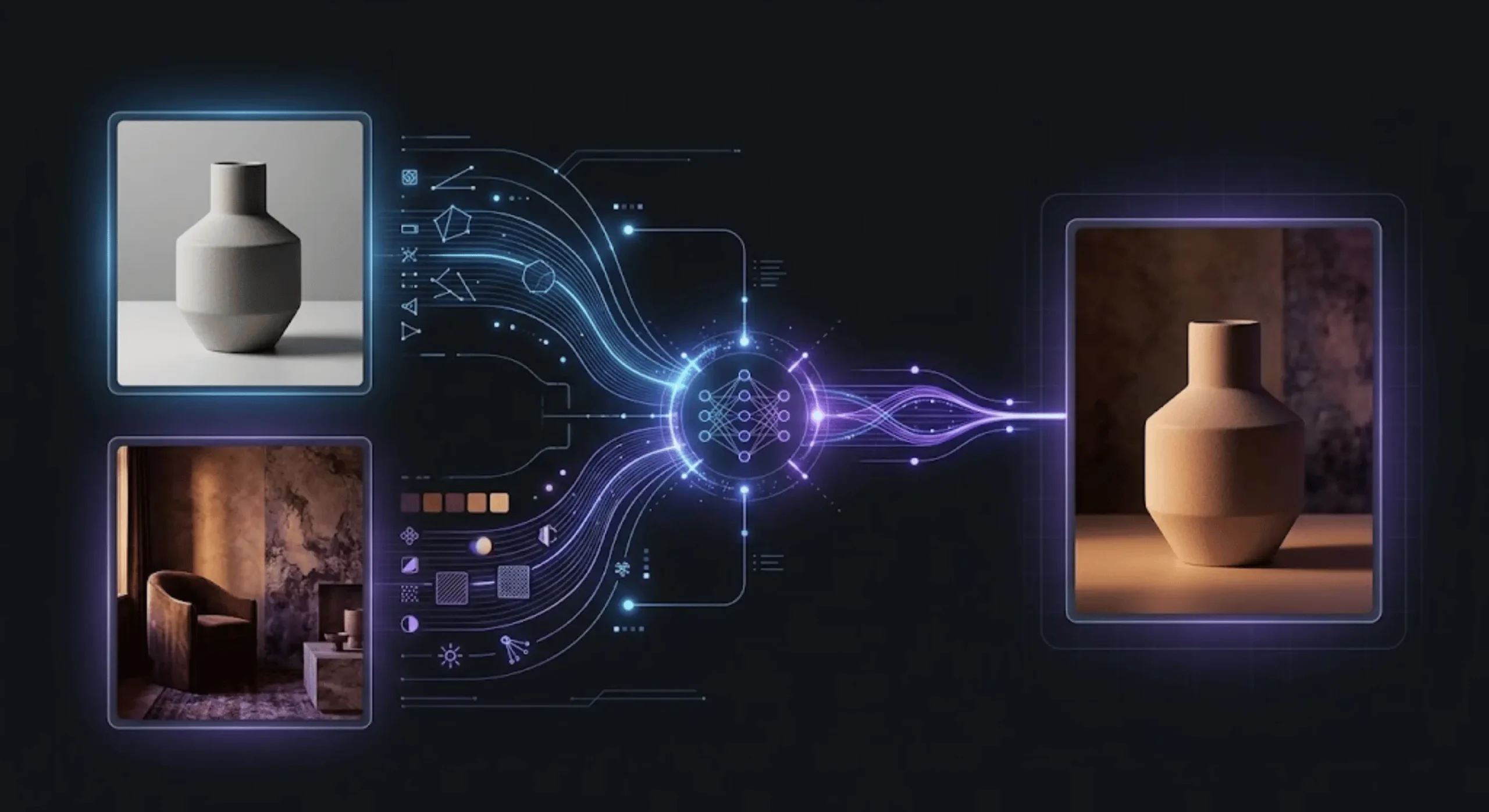
The Reference Contract: What Each Image Can Contribute
This is the technique I wish more multi-image tutorials taught. I call it the reference contract.
Instead of merely saying what to take from each source, I specify the boundaries of each source. Image A receives an allowed contribution list. Image B receives another. Then I explicitly block the most likely unwanted crossovers.
Why? Because style images contain content too. A cyberpunk portrait doesn’t contain only “cyberpunk style.” It contains a specific person, jacket, city, camera angle, signs, buildings, hair, pose, and probably dozens of other visual cues. A model can treat any of those as relevant unless the target is clearly defined.
REFERENCE CONTRACT IMAGE 1 MAY CONTROL: - character identity - facial features - hairstyle - pose - outfit design - body proportions IMAGE 2 MAY CONTROL: - illustration medium - brush texture - palette - lighting - shadow treatment - background atmosphere IMAGE 2 MUST NOT CONTROL: - face - hairstyle - body shape - costume design - pose TARGET: Render the exact character described by Image 1 as though the artwork had been created using the visual language of Image 2.I’ve found this especially helpful when the references are visually strong but semantically incompatible. Imagine a photograph of a minimalist wristwatch paired with a dramatic fantasy painting. Without boundaries, metallic ornaments, fantasy symbols, or unnecessary architecture can appear on the watch itself.
And yet, that isn’t really a model failure. The model was asked to combine two information-rich sources. The prompt never explained which information was off-limits.
Avoiding Common Artifacts in Multi-Image Combinations
Most bad dual-reference outputs fall into a handful of predictable categories. I diagnose the failure before rewriting the prompt instead of adding random adjectives and hoping for a better seed.
- Identity drift: Facial structure, product geometry, or character details begin resembling the style reference.
- Style under-transfer: The output keeps too much of Image 1’s original lighting and rendering.
- Content leakage: Objects, clothing, architecture, props, or scenery from Image 2 appear unexpectedly.
- Hybrid materials: A material cue from the style reference physically changes the subject rather than changing the way it is rendered.
- Composition collision: The model tries to preserve two camera angles or spatial arrangements simultaneously.
- Over-stylization: The aesthetic becomes so dominant that recognizable subject details disappear.
The correction should target the exact failure.
If the face changes, strengthen identity preservation and reduce style influence on facial anatomy. If the pose changes, explicitly lock pose and camera angle. If the second image’s scenery appears, ban environmental content from the second reference. If the style is too weak, describe individual aesthetic properties rather than simply naming a broad genre.
Preserve the subject from Image 1 without altering identity, anatomy, pose, clothing structure, or camera perspective. Apply the aesthetic characteristics of Image 2 strongly to: - illumination - shadow color - highlight behavior - color grading - surface rendering - grain - atmosphere Do not transfer Image 2's person, objects, background layout, costume, pose, or physical materials. The style should affect how Image 1 is rendered, not what Image 1 contains.That final sentence is one of my favorite corrections because it draws a clean line between appearance and content.
Step-by-Step Blend Two Images AI Prompt Workflow for Midjourney and FLUX
Midjourney and FLUX can both work with multiple visual references, but I don’t treat their workflows as identical.
With Midjourney, I first decide whether both pictures should influence general content or whether one should act specifically as the aesthetic reference. When I want the second image to contribute colors, textures, lighting, and medium without importing its subject, I prefer treating that source explicitly as a style reference rather than tossing both pictures into an undifferentiated blend.
For more complicated Midjourney prompts, I use the Midjourney Prompt Generator to turn the intended final frame into concise visual language rather than stacking contradictory commands.
My basic Midjourney process is:
- Step 1: Choose the image that owns the subject or composition.
- Step 2: Choose whether the second image is another content reference or purely a style reference.
- Step 3: Write the final scene as a positive visual description.
- Step 4: Reinforce the characteristics that must survive.
- Step 5: Control reference influence rather than assuming equal weighting.
- Step 6: Generate a small batch and diagnose one failure category at a time.
Elegant full-body editorial portrait of the woman from the primary reference, preserving her recognizable appearance, long black coat silhouette, standing pose and three-quarter camera angle. Rendered with the muted teal-and-amber palette, diffused window light, fine analog grain, low-saturation cinematic contrast and painterly shadow transitions of the style reference. Minimal architectural background, restrained composition, natural proportions, editorial fashion photography.FLUX multi-reference editing encourages a more explicit reference-addressing approach. I like identifying sources directly as Image 1 and Image 2 because the instruction becomes difficult to misread.
Use the product from image 1 as the exact subject. Place it in a new premium advertising composition while preserving its shape, proportions, logo position, materials, and viewing angle. Use image 2 only as the visual reference for warm directional lighting, dark emerald color grading, reflective highlights, shallow depth of field, and luxury editorial mood. Do not transfer any products, text, props, or structural objects from image 2. The final result should look like image 1 was professionally photographed by the same creative team responsible for image 2.Unsurprisingly, this becomes even more important when you add a third or fourth reference. Every additional image increases the amount of visual information competing for a role. If the model supports multiple references, that doesn’t mean every reference deserves equal authority.
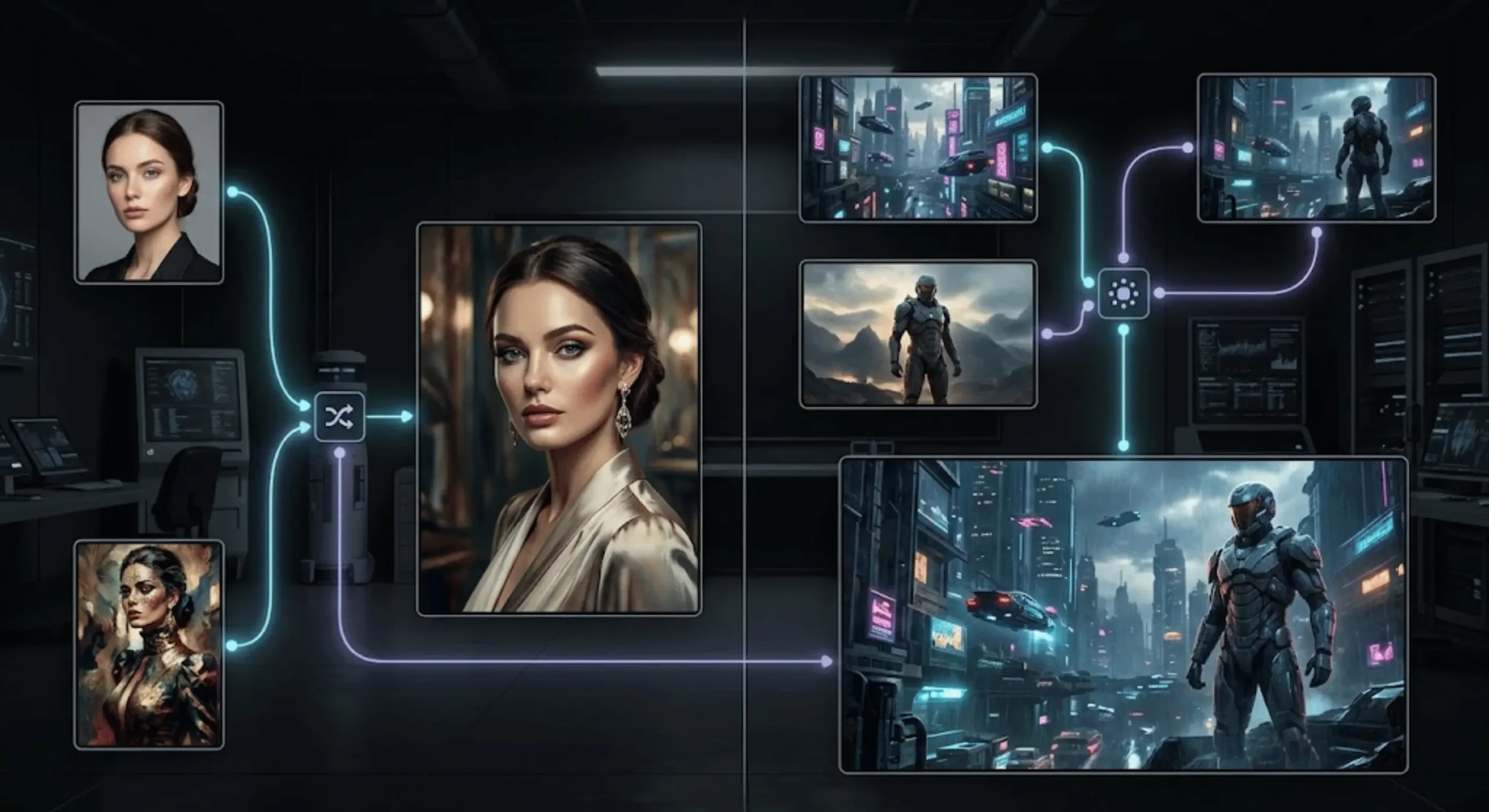
Generating Dual-Reference Prompts Instantly with Promptsera
Writing this structure manually is easy once you know what you’re looking for. The slower part is visually analyzing both references well enough to describe their useful characteristics.
That’s exactly where a dual-image prompt generator earns its place in the workflow.
I don’t want a tool to merely concatenate two image descriptions. That’s not useful. I want it to recognize that one upload may contain the subject while the other contains the aesthetic, then build a semantic bridge between them.
A practical workflow looks like this:
- Upload Image 1: Use the reference containing the subject, product, character, composition, or object you want to preserve.
- Upload Image 2: Add the reference containing the visual treatment you want to borrow.
- Add a note: Tell the system something decisive such as “Keep the person and pose from Image 1; use only lighting, color and painting style from Image 2.”
- Select your target model: Prompt conventions differ, so model-aware wording matters.
- Generate the merged prompt: Review whether the resulting prompt clearly separates preservation from transfer.
- Refine after generation: If the first result drifts, correct the specific category that failed rather than rewriting everything.
Keep from Image 1: exact subject, pose, facial identity, hairstyle, clothing design, framing. Transfer from Image 2: cinematic blue-hour lighting, wet reflective highlights, violet shadows, fine film grain, atmospheric haze, restrained neon palette. Exclude from Image 2: people, vehicles, buildings, clothing, signage and composition. Desired result: The subject from Image 1 photographed in a completely original environment using the photographic and color-treatment language of Image 2.That small “Exclude from Image 2” block is often the difference between controlled style transfer and accidental visual soup.
Making One Dual-Image Prompt Work Across Different Models
I never assume the exact same syntax will behave identically everywhere. What I preserve is the logic of the prompt.
The portable part is the hierarchy:
- Reference role: Which image controls which category?
- Preservation: Which properties cannot change?
- Transfer: Which aesthetic properties should move across references?
- Exclusions: Which visible details should not transfer?
- Target state: What should the finished image actually depict?
Then I adapt the wording and controls to the destination model. A Stable Diffusion workflow may involve a different combination of image conditioning, ControlNet, IP-Adapter-style references, model checkpoints, or other controls depending on the interface. If you’re converting the idea into a more traditional text-heavy Stable Diffusion format, Promptsera’s Stable Diffusion Prompt Generator can help restructure the visual description.
That said, don’t stuff every technical control into your initial prompt. First establish whether the semantic instruction works. Then adjust weighting or model-specific conditioning when the output tells you what is missing.
PRIMARY SUBJECT: A handcrafted stone incense burner from Image 1, preserving exact proportions, relief placement, opening shape and viewing angle. AESTHETIC TRANSFER: Use Image 2 for dramatic museum-style illumination, warm limestone tonality, deep controlled shadows, fine archaeological photography texture and cinematic depth. NON-TRANSFER RULE: Do not copy sculptures, artifacts, inscriptions, background architecture or object geometry from Image 2. FINAL FRAME: A premium museum catalogue photograph of the exact incense burner from Image 1, presented with the photographic treatment and atmosphere of Image 2.This structure survives model changes far better than memorizing one parameter.
Frequently Asked Questions
How do I blend two images with an AI prompt?
Use one image as the primary subject or content reference and define what the second image should contribute. For controlled results, state what must stay unchanged, what should transfer, and what should not be copied from the second image. A specific role-based prompt usually gives you more predictable results than simply asking the model to combine both images.
Can AI take the subject from one image and the style from another?
Yes. This is one of the most useful dual-reference workflows. I recommend treating the first image as the identity or structure source and the second as the aesthetic source. Ask for specific transferable properties such as palette, lighting, brushwork, film grain, texture, contrast, or atmosphere while blocking the second image’s objects and composition.
How do I combine two reference images in Midjourney?
Midjourney supports multiple image references, and you can also assign an image specifically as a Style Reference when your goal is aesthetic transfer. The important part is choosing the appropriate reference role. If you want both images to influence content, multiple image prompts make sense. If Image 2 should mainly contribute visual style, treating it as a style reference gives the workflow a clearer separation.
Why does AI change the face when I use a style reference?
The style reference may contain visual information beyond style, and the generated image can drift when identity preservation is not strong enough. Explicitly preserve facial structure and other defining traits from the subject image, then limit the second image to aesthetic categories such as lighting, palette, texture, medium, and atmosphere.
What should I write in a prompt to merge two images?
I use five parts: identify the primary subject image, identify the secondary reference, list the details that must be preserved, list the characteristics that should transfer, and describe the desired final image. For difficult combinations, add a sixth part that explicitly states what the secondary reference must not contribute.
The Verdict
The best dual-image prompting isn’t really about blending everything. It’s about controlling the border between two sources. Decide which reference owns identity and geometry, decide which one owns aesthetics, state what cannot change, and block unwanted content transfer. Once you start treating each reference as a visual role rather than a pile of pixels, multi-image generation becomes much easier to diagnose and repeat.
If you don’t want to manually reverse-engineer both references every time, upload them to Promptsera’s Merge Two Images into One Prompt tool, specify what you want preserved and transferred, and use the resulting dual-reference prompt as your starting point. I still recommend reviewing the preservation and exclusion rules before generation, because those are the lines that keep an interesting blend from becoming an uncontrolled mashup.