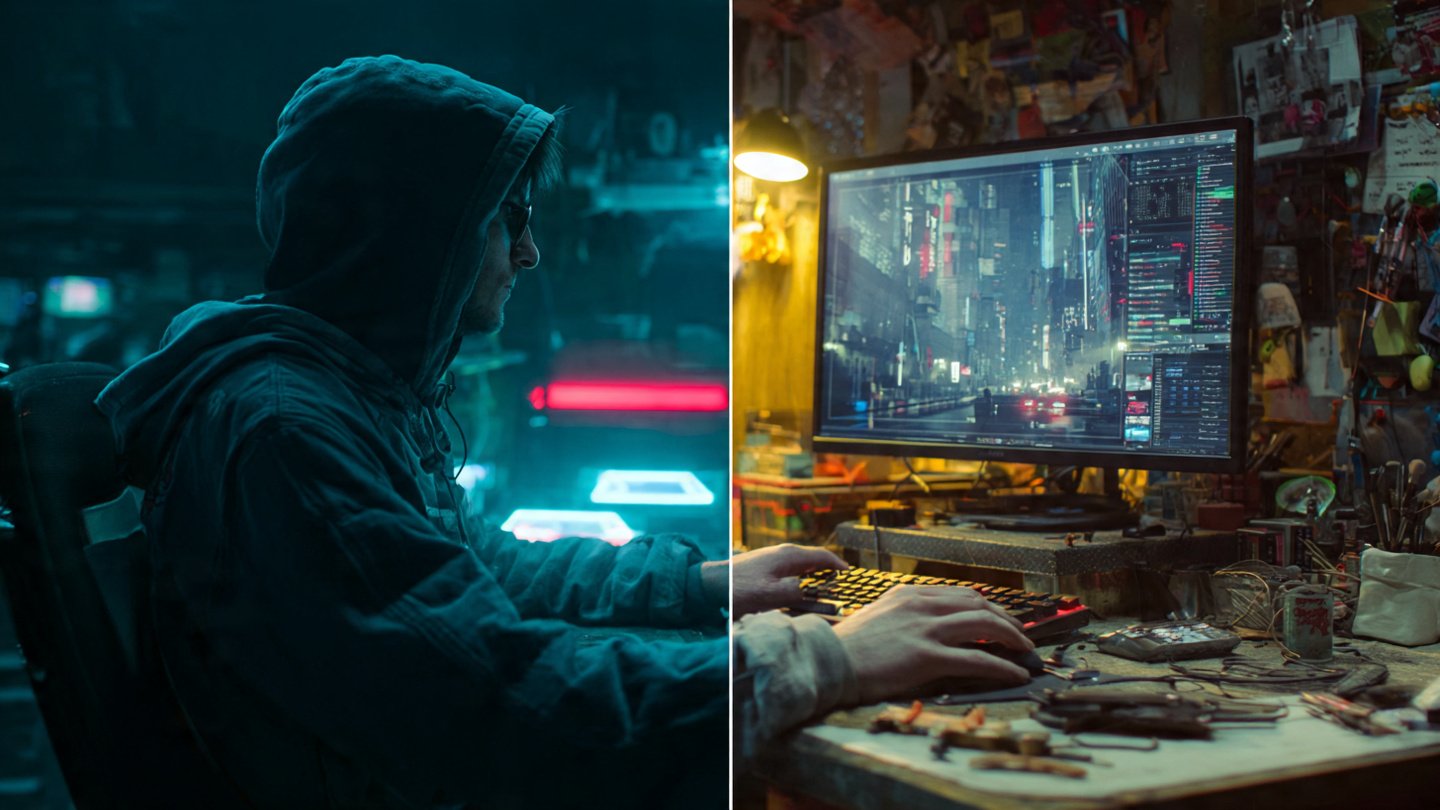
We have officially moved past the era of blind guesswork in AI image generation. If you’re the kind of person who used to spam fifty unrelated artist names into a text box just to get a passable result, you can finally stop. I’ve noticed that the current generation of artificial intelligence understands visual requests with startling clarity. That said, it only works if you speak its specific native language.
Right now, two titans dominate the high-end generative image space: Midjourney v6 and FLUX.1 by Black Forest Labs. I’ve tested both extensively, and they both produce photorealistic, jaw-dropping visuals that easily rival the world’s best digital artists and photographers. That’s where things get interesting, though. Under the hood, their text encoders process information in entirely different ways. I quickly found out that if you treat FLUX like Midjourney, you will receive stiff, uninspired outputs. Treat Midjourney like FLUX, and the model will ignore half of your instructions to paint whatever it wants.
To get exactly what you picture in your head, you have to adapt your prompt engineering strategy to match the architectural quirks of the model you are using. I put together this comprehensive guide to break down the exact syntax, structural rules, and vocabulary shifts required when moving between FLUX and Midjourney. By the end, you’ll know exactly how to maintain absolute creative control over your generative outputs.
Table of Contents
1. Aesthetic Intuition vs. Literal Adherence
Understanding how these models “think” will save you hours of frustrating iterations. The biggest mistake I see novice prompt engineers make is assuming that all AI image generators share the same brain. They absolutely do not. Their underlying architectures dictate exactly how they interpret your text.
Midjourney operates heavily on aesthetic bias. The model is fundamentally programmed to make things look beautiful, dramatic, and highly stylized. When I tested it, I noticed it reads your prompt, hunts for high-impact visual keywords, and then aggressively fills in the blanks using its massively curated training data. If you ask for a portrait of a woman, Midjourney will automatically give her perfect cinematic lighting, flawless skin, and a dramatic background. Unsurprisingly, it thrives on poetic descriptions, artistic references, and dense photographic terminology.
FLUX is a completely different beast. Powered by a massive T5xxl text encoder, FLUX is aggressively literal. I found that it understands natural language, complex grammar, and spatial relationships better than almost any open-weight model available today. Here’s the catch, though: because it is so literal, it lacks Midjourney’s default aesthetic bias. FLUX does exactly what you tell it to do. If you write a boring, bare-bones prompt, FLUX hands you a boring, bare-bones image. It will not fill in the blanks with dramatic studio lighting unless you explicitly instruct it to do so.
2. How to Talk to Each Model
Your sentence structure dictates your success. A prompt that generates a masterpiece in one engine might produce total garbage in the other, simply because the underlying text parsing mechanics clash with your grammar.
Midjourney: The Keyword Salad and Parameter System
I’ve learned that Midjourney reads prompts sequentially. Words at the very front of the prompt carry massive weight, while words at the end barely register. Because Midjourney relies heavily on CLIP encoders, it responds beautifully to comma-separated lists of descriptive tags. It does not need perfect grammar. In fact, I often find that full sentences just dilute your core concepts.
When prompting Midjourney, you really should drop the connector words (“and,” “the,” “with”). I focus entirely on heavy-hitting adjectives, exact camera models, lighting setups, and my aspect ratio parameters. If you are building a prompt for a dark fantasy scene, I recommend structuring it using this block methodology:
[Subject] +[Details/Clothing] + [Environment] + [Lighting/Vibe] + [Camera Medium] + [Parameters]

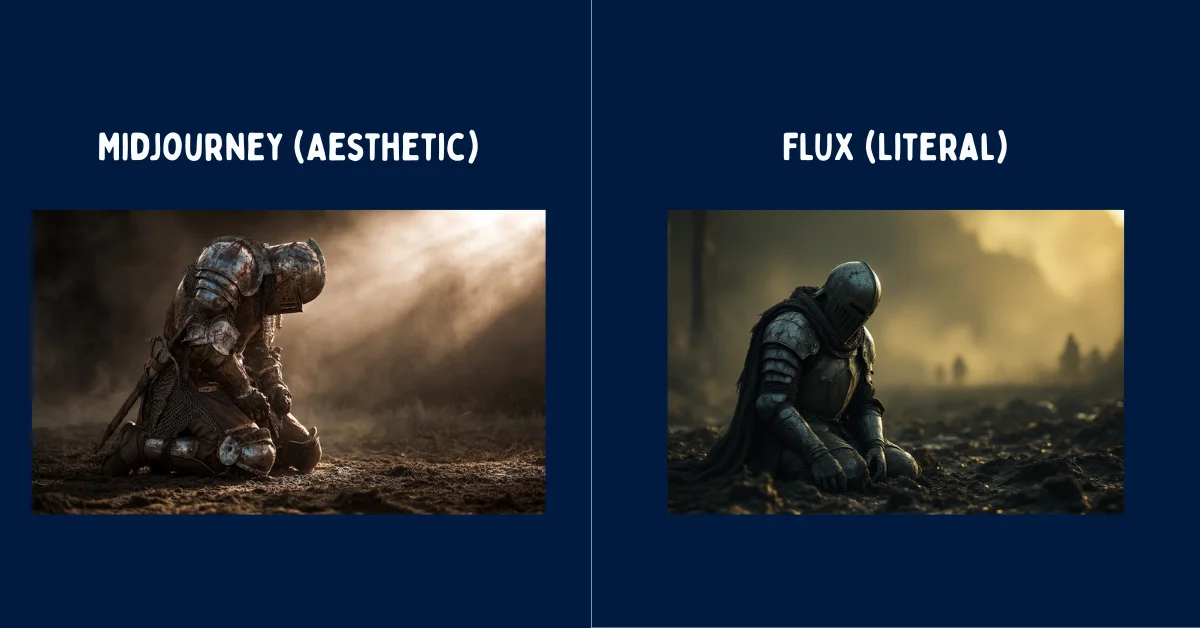
A battle-worn medieval knight kneeling in the mud, heavy plate armor covered in deep scratches and dried blood, dark fantasy battlefield, smoke billowing in the background, cinematic backlighting, golden hour sun flaring through the mist, shot on 35mm lens, gritty, hyper-detailed --ar 16:9 --style raw --v 6.0
Notice the heavy reliance on aesthetic tags and the strict mathematical parameters at the end. The --style raw parameter tells Midjourney to slightly reduce its default beautification, while --ar 16:9 locks the canvas size. That string of commands is exactly how I command Midjourney to get what I want.
FLUX: Natural Language and Descriptive Paragraphs
FLUX hates keyword salads. When I tried feeding FLUX a string of comma-separated tags like “knight, sword, muddy, cinematic, 8k, masterpiece,” the T5 text encoder simply got confused. It expects subjects, verbs, and prepositions. It basically wants to read a paragraph.
To engineer a prompt for FLUX, I learned you must write like a novelist describing a scene to a blind person. You must explicitly define where things are located in space. You must use full, grammatically correct sentences. Furthermore, FLUX does not use dash-parameters like --v 6.0 inside the text box. You control the aspect ratio via the interface toggles, which leaves your prompt entirely focused on the scene generation.
A wide-angle shot of a battle-worn medieval knight kneeling in thick, wet mud in the center of the frame. The knight is wearing heavy silver plate armor that is deeply scratched and stained with dark blood. In the background behind the knight, a dark fantasy battlefield is obscured by thick grey smoke. Warm golden sunlight breaks through the smoke from the upper right, casting long dramatic shadows across the mud. The image has a gritty, photorealistic documentary aesthetic with sharp focus on the knight's helmet.See the difference? I replaced the chaotic tags with strict directional language (“in the center of the frame,” “from the upper right”). I explicitly linked the blood to the armor using a proper sentence structure. This ensures the T5 encoder maps the attributes perfectly without concept bleeding.
3. Mastering Typography and Exact Text Rendering
Rendering legible text inside an AI-generated image used to be impossible. You might remember when hands would turn into spaghetti, and letters would turn into alien hieroglyphics. Today, generating perfect text is entirely possible, but I noticed the syntax differs radically between the two engines.
Typography in Midjourney v6
Midjourney v6 finally introduced the ability to render text, but it requires strict formatting. I found that to get text in Midjourney, you must wrap the exact words in quotation marks and keep the surrounding prompt relatively simple. If you describe the scene with too much detail, Midjourney loses focus on the text and misspells it.
A glowing neon sign in a rainy cyberpunk alleyway reading "OPEN LATE" --ar 16:9 --v 6.0To be fair, Midjourney still struggles with long phrases. When I asked it to write a full sentence across a billboard, it usually dropped letters or duplicated words. Additionally, Midjourney has a habit of letting the text style bleed into the environment. If you ask for a “blood red sign,” the entire alleyway might turn red.
Typography in FLUX
FLUX completely dominates text generation. Because of its massive language model backbone, I rarely see it misspell words, even when rendering complex fonts or unusual spatial placements. You can ask FLUX to write a paragraph on a crumpled piece of paper, and it will execute it flawlessly.
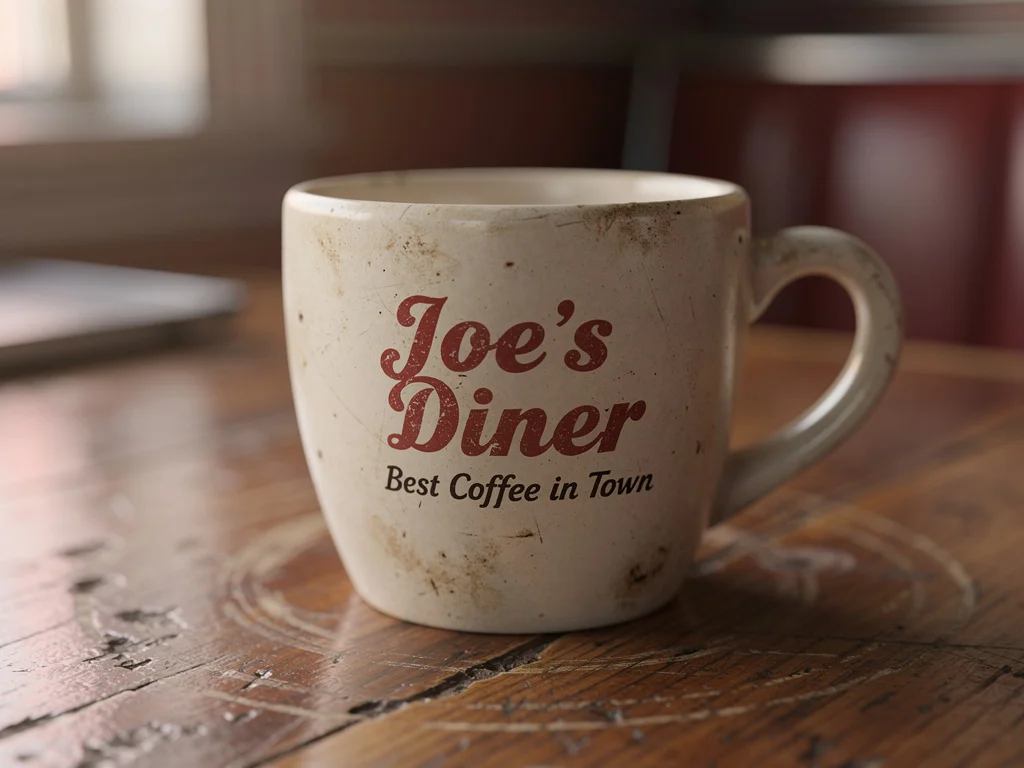
You don’t strictly need quotation marks with FLUX, but I always use them because it guarantees accuracy. The real power of FLUX is that you can dictate font weight, color, and location seamlessly.
A close-up of a dirty white coffee cup sitting on a wooden diner table. The side of the cup has the words "Joe's Diner" printed in bold red retro serif font. Underneath that, smaller black sans-serif text reads "Best Coffee in Town". The background is slightly out of focus.4. Spatial Awareness and Composition Control
Controlling where objects appear in your image is critical for commercial workflows, graphic design layouts, and storyboarding. If you’ve ever wanted a specific object on the left and another on the right, you quickly discover the limitations of basic AI models.
The Midjourney Concept Bleed
Midjourney suffers heavily from “concept bleeding.” If you prompt: “A red apple on the left side of a table and a green pear on the right side,” Midjourney will absolutely fight you. I realized it reads “red,” “green,” “apple,” and “pear” as a jumbled soup of visual tokens. The result is surprisingly often a red pear, a green apple, or a bizarre hybrid fruit sitting right in the middle of the table.
Controlling precise placement in Midjourney requires complex multi-prompting (using :: weights to separate concepts) or using the interface’s panning and Vary (Region) tools after the initial image is generated. It’s an iterative, post-generation process that requires a lot of patience.
The FLUX Spatial Advantage
FLUX, on the other hand, understands spatial mapping out of the box. Because the text encoder processes the entire prompt contextually rather than sequentially, it locks specific attributes to specific objects. I was thrilled to see it knows exactly what “left,” “right,” “foreground,” and “background” mean.
When I want perfect composition in FLUX, I use explicit location markers in my natural language:
- “In the extreme foreground…”
- “On the extreme left side of the frame…”
- “Directly behind the primary subject…”
- “Hovering three feet above the concrete ground…”
This strict spatial logic makes FLUX the superior model for commercial mockups, UI/UX asset generation, and any scenario where the placement of an object matters just as much as its aesthetic quality.
5. Advanced Lighting and Camera Constraints
Getting the exact lighting and camera angle you want requires overriding the AI’s default behavior. I’ve found that both models require a firm hand when it comes to cinematography.
Midjourney defaults to a highly dramatic, shallow depth-of-field look. It absolutely loves blurring backgrounds. If you want a flat, wide, evenly lit scene (like an architectural rendering), you must aggressively prompt against Midjourney’s instincts. I always use tags like f/16 aperture, deep depth of field, everything in focus, flat studio lighting. If you do not explicitly forbid the blur, Midjourney will blur it.
Conversely, FLUX defaults to a very neutral, almost documentary-style realism. It does not instinctively add cinematic flair. If you want a moody, dramatic shot, I found you have to essentially build the lighting rig in your prompt. You must write phrases like: “A harsh, single spotlight illuminates the subject from directly above. The rest of the room is draped in pitch-black shadow. Volumetric fog catches the light beam.” FLUX will build exactly the lighting setup you describe, but you have to do the heavy lifting of describing it.
6. Streamlining Your Workflow
Memorizing the exact syntax quirks, parameter weights, and grammar rules for both models takes massive amounts of time. If you’re rapidly switching between Midjourney for your artistic concepts and FLUX for your literal text renderings, building these prompts manually from scratch will drastically slow down your production pipeline. I know it slowed mine down.
Instead of typing everything out manually and hoping I remembered the right sentence structure, I decided to leverage intelligent generation tools. You can use the core AI prompt generator on Promptsera to instantly format your raw, unorganized ideas into model-specific syntax. You simply input your concept, and the tool builds the paragraph for FLUX or the keyword sequence for Midjourney.
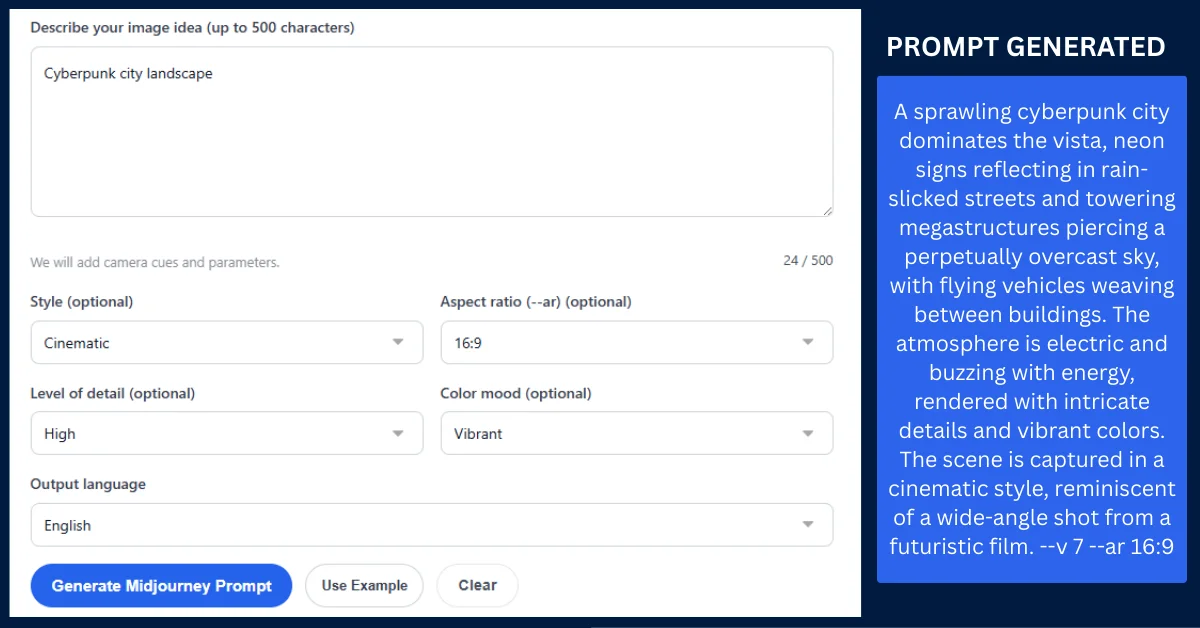
If you want to dive deep into Midjourney’s complex parameter systems without memorizing the difference between --stylize 250, --chaos 50, and --weird 10, you can fire up a specialized Midjourney prompt generator. I like how these tools automatically append the perfect mathematical weights and aesthetic tags to your base concept based on your selected dropdowns. This allows you to focus purely on the creative art direction while the tool handles the structural engineering behind the scenes.
7. Final Verdict: Which Model Wins?
The truth is that neither model universally replaces the other. I’ve realized they are highly specialized tools meant for entirely different jobs in a professional workflow.
Use Midjourney when you want magic. If you need breathtaking concept art, surreal illustrations, moody photography, or visual development where you want the AI to take the creative lead and surprise you, Midjourney’s aesthetic bias is absolutely unmatched. It makes beautiful things easily, requiring very little effort to get a visually stunning result.
Use FLUX when you demand strict control. If you need accurate text on a product mockup, precise object placement for a digital ad, literal adherence to a complex scene description, and zero creative hallucination, FLUX is your engine. Talk to it like a human, be overly descriptive, map out your coordinates, and I guarantee it will build exactly the architecture you ask for.
At the end of the day, the highest-level creators do not pledge loyalty to a single model. They master both syntaxes, use the right generators to speed up their formatting processes, and deploy the correct engine based on the specific needs of the project. Learn how to speak both languages fluently, and you’ll dominate every aspect of AI image creation. Both models have their quirks and trade-offs, but wielding them together is where the real power lies.
Frequently Asked Questions
Can I use the exact same prompt for both FLUX and Midjourney?
Technically yes, but I’ve found the results will be highly inconsistent. A comma-separated tag prompt that looks incredible in Midjourney will likely confuse FLUX, resulting in a flat or disorganized image. Conversely, a long, grammatical paragraph written for FLUX will cause Midjourney to completely ignore the end of your sentence. You must format your text for the specific encoder you are using.
Why does Midjourney ignore the end of my text prompt?
Midjourney parses text sequentially, meaning it assigns massive token weight to the first 10 to 15 words of your prompt. I noticed that as the prompt gets longer, the AI pays less attention to the trailing words. If you bury your main subject at the end of a long paragraph, Midjourney will likely ignore it entirely in favor of the background details mentioned at the beginning.
What is the T5xxl text encoder used in FLUX?
T5xxl (Text-to-Text Transfer Transformer) is a massive language model architecture developed by Google. Unlike older CLIP models that simply link keywords to visual concepts, the T5 encoder deeply understands complex human grammar, spatial prepositions, and nuanced sentence structures. This is exactly why FLUX can perfectly execute prompts that describe where objects are located in relation to one another.
How do I stop Midjourney from adding unwanted elements to my image?
Because Midjourney loves to fill in the blanks, you must use Negative Prompts to establish boundaries. I do this by appending the --no parameter to the end of my prompt, followed by the items I want excluded (e.g., --no people, cars, text, watermarks). This simply forces the engine to remove those specific tokens during the generation process.
Which model is better for graphic design and creating UI assets?
FLUX is generally superior for graphic design, typography, and UI assets. Its ability to render exact text, combined with its strict adherence to spatial composition, allows you to generate exact layouts. Midjourney, on the other hand, is much better suited for background textures, concept art, and high-end photographic assets that you’ll likely manipulate in Photoshop later.