


The phrase “best AI prompt writer” sounds simple until you actually try a few of these tools. Some are essentially prompt generators that turn a rough idea into something much more structured. Others are giant libraries, visual builders, or developer tools designed around a specific model.
That distinction matters more than the marketing. A prompt library with thousands of entries is not automatically an optimizer, and a tool built around Midjourney-style image prompts is probably not what you want for a Claude document-analysis workflow.
So rather than pretending there is one winner for every possible use case, I looked at four very different options: Promptsera, AIPRM, Anthropic’s Console prompt generator, and Promptomania.
They solve different problems, which is exactly why comparing them is useful. Below, I break down where each tool fits, what it does well, where the limitations show up, how access works, and whether it makes more sense for text or image prompting.
Review disclosure: This article is published by Promptsera. The comparison is based on public product pages and documentation reviewed in September 2026. We did not run a controlled output-quality benchmark or test every paid feature. The recommendations below are based on documented workflow fit, not measured superiority.
Best AI Prompt Writers: The Quick Comparison
| Tool | Recommended use | Main approach | Free and paid access | Main limitation |
|---|---|---|---|---|
| Promptsera | Creating prompts across text, image, and video workflows | Task-based prompt generation with model and format choices | Advertised as free, with no login required | Generated instructions still need review and testing in the target model |
| AIPRM | Finding, organizing, and reusing prompts in supported assistant workflows | Prompt library and management features | Free version and paid plans with different features and quotas | Template quality and relevance vary; community prompts are not all vendor-tested |
| Anthropic Console prompt generator | Preparing reusable prompts for Claude-focused development | Generates editable prompt templates from a task description | Console account required; model testing may incur usage charges | Focused on Claude workflows rather than a broad visual prompt-building experience |
| Promptomania | Exploring image-prompt structure and visual model options | Model-oriented visual builder and prompt guides | Public builder pages are accessible; separate Studio access is advertised | End-to-end builder limits and image-generation access were not verified in this review |
My practical shortlist is simple: start with Promptsera if you want a flexible multi-model brief, AIPRM if your main problem is finding and reusing templates, Anthropic’s Console if you are building around Claude, or Promptomania if you are mainly trying to describe visuals.
One thing worth separating immediately: these tools do not necessarily give you access to the model that eventually runs the prompt. A free prompt generator does not magically make a paid image model, subscription, or API free.
How I Evaluated These Tools
A useful AI prompt writer should make your brief better without quietly changing what you asked for.
That sounds obvious, but prompt generators have a habit of trying to be helpful by inserting assumptions, extra requirements, fancy personas, or model syntax you never requested. The best result is not necessarily the longest prompt. It is the one that preserves the task, exposes the important choices, and gives you instructions you can still understand and edit afterward.
Before choosing software, it is worth understanding how manual writing compares to automated tools in our prompt writer guide. If your task is small and you can already explain it clearly, manually writing the prompt may be faster than introducing another tool into the process.
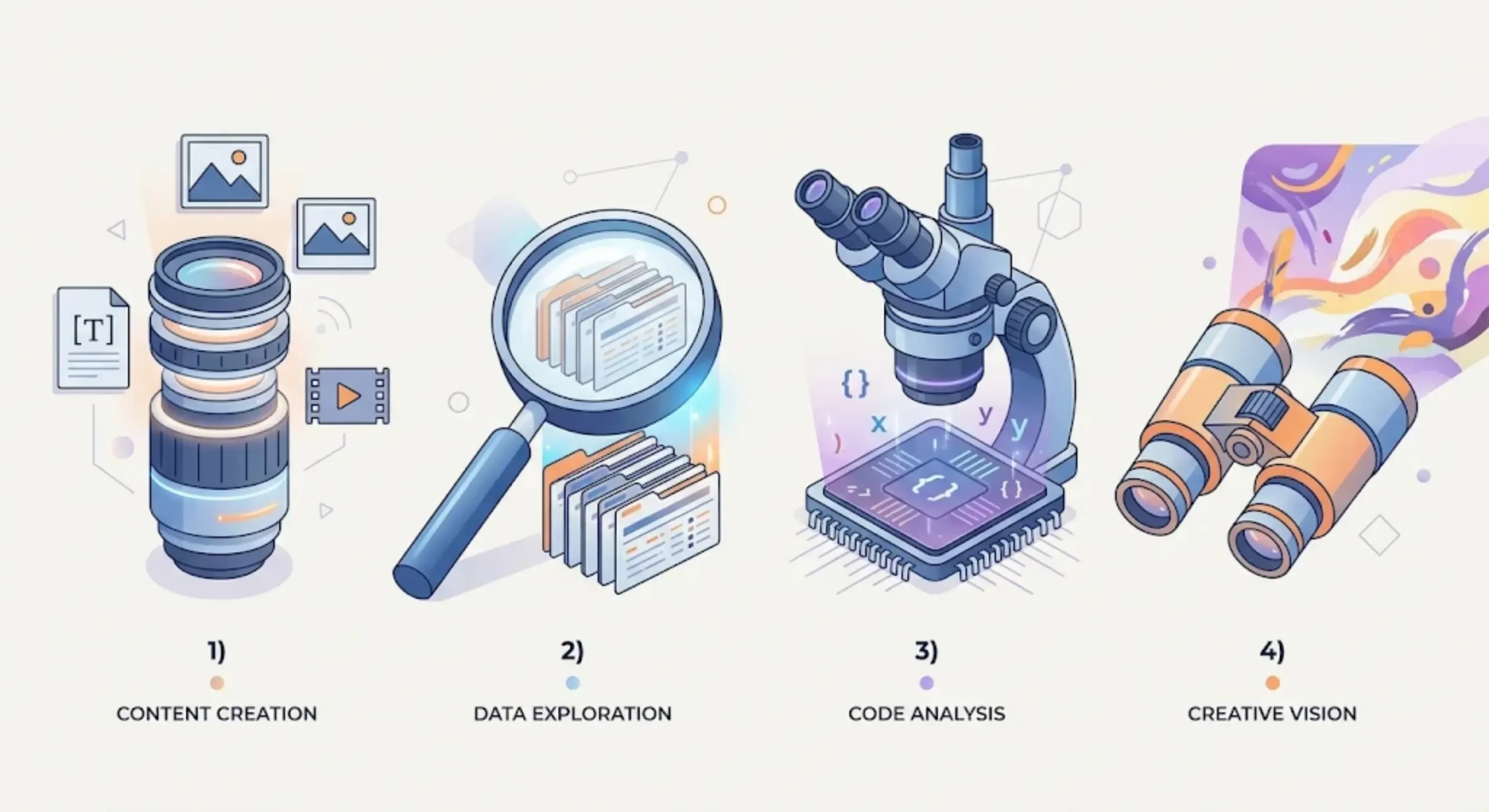
1. What the Product Actually Does
I separate prompt tools into a few broad categories because the names can blur together very quickly.
Some tools generate new prompts from scratch. Some provide libraries of templates other people have already written. Others work more like builders where you choose options and assemble a prompt, while a different category focuses on evaluating or optimizing prompt changes.
There can be overlap, of course, but these are not interchangeable jobs. A template library and a prompt optimizer may both promise “better prompts,” while doing completely different things under the hood.
2. How Well It Fits the Target Model
Prompt requirements change with the medium.
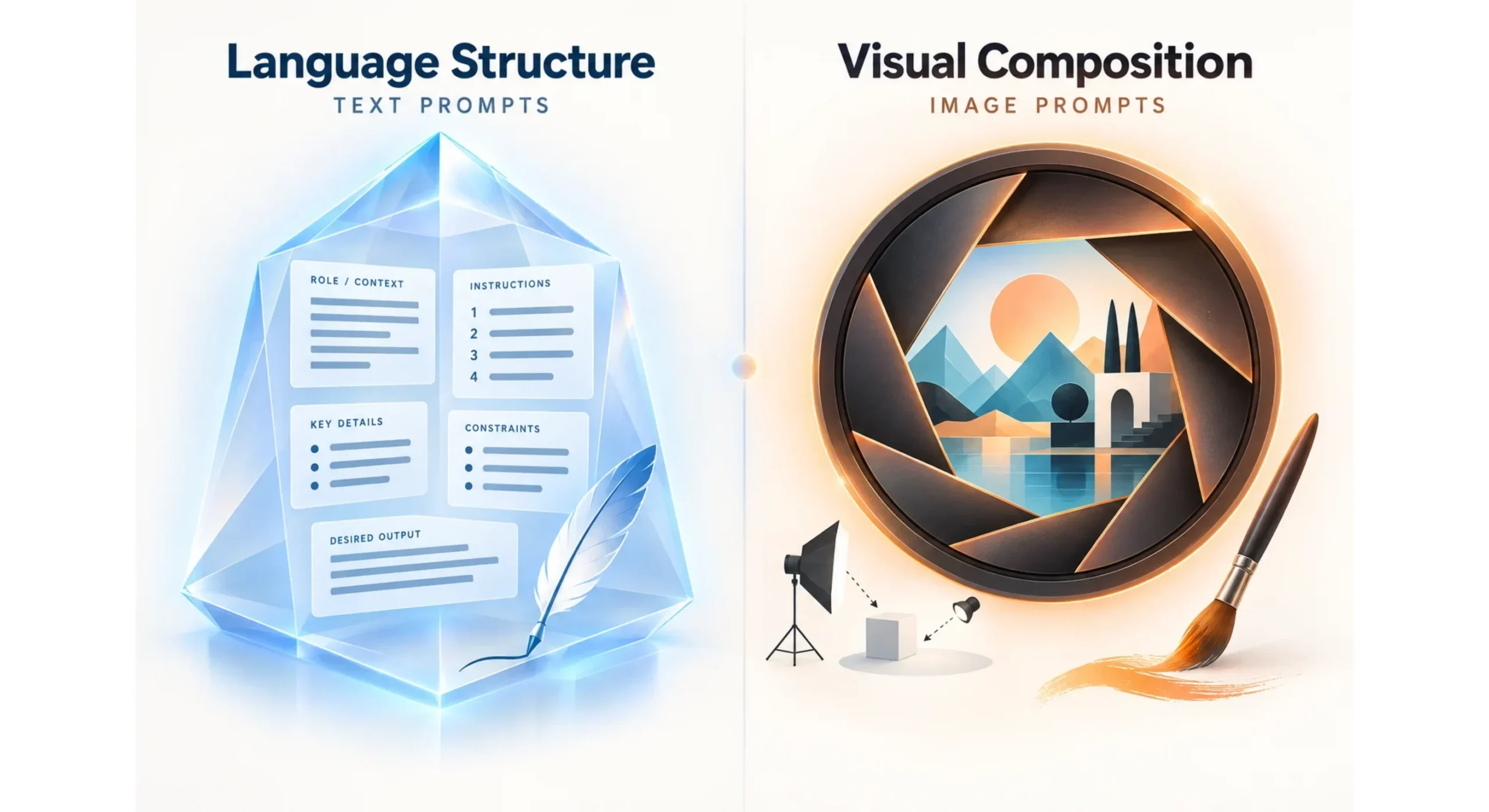
For a text model, the useful ingredients are usually things like task context, source material, constraints, audience, and output requirements. For an image model, you suddenly care about visual subject, framing, composition, lighting, style, and whatever controls the specific model actually supports.
That’s where generic multi-model tools can get into trouble. A tool should not mash together syntax from unrelated systems simply because both model names appear in the same dropdown menu.
3. Editing and Reuse
I also care about what happens after the prompt is generated.
A useful prompt should be readable, editable, and ideally structured so that the pieces likely to change are obvious. If I want to swap the audience, source material, or output format, I should not have to surgically rewrite half the instructions every time.
Clearly identified variables and modular sections become especially useful once a prompt moves from a one-off experiment into something you use repeatedly.
4. Access and Total Cost
The sticker price of the prompt tool is only one part of the cost.
I look at whether the service requires an account, browser extension, subscription, or usage credits, and then I separate that from the cost of the AI model that ultimately executes the prompt.
That second part is easy to miss. A free prompt builder can still lead directly into a paid API, premium chatbot plan, or image-generation service.
For this comparison, I describe the access structure that could be verified rather than quoting exact subscription prices that were not consistently confirmed across all four products.
5. What “Optimization” Actually Means
“Optimized prompt” is one of those phrases that can mean almost anything.
In the weakest case, it means the tool added headings and made the prompt longer. In a much stronger case, it could mean the system generated several candidates, ran them against a dataset, measured outcomes, and selected the version that performed best.
Those are not the same thing.
So whenever a tool talks about optimization, I would ask three questions: what changed, how was the improvement measured, and does that measurement actually apply to the task you care about?
This review does not assign numerical quality scores because no comparable generation benchmark was performed.
1. Promptsera: Best Fit for Multi-Model Prompt Drafting
Promptsera is built specifically around prompt creation across different kinds of AI tasks. Its public interface separates text and code, image and design, video and motion, and reasoning-oriented requests rather than treating every prompt as the same species.
The workflow starts with the task type and target brand, then asks for the rough idea you want to turn into a prompt. From there, additional fields cover things such as style, language, output format, and what the model should avoid.
That makes it feel less like staring at a blank chatbot window and more like filling out a structured creative brief.
Where Promptsera Fits Well
Promptsera makes the most sense if your work jumps between different media types.
One day you may be writing a detailed article brief, the next you are trying to describe a product photograph, and the day after that you need a video scene. Instead of building your own prompt framework from scratch for every format, you can start with the kind of task you are actually trying to complete.
The site also includes more targeted entry points, including the Claude Prompt Generator and Gemini Prompt Generator.
Strengths
- A dedicated workflow for turning rough ideas into prompts.
- Coverage of several task types within one platform.
- Visible controls for language, style, and output requirements.
- Advertised free access without requiring a login.
- A separate AI Prompt Checker for reviewing existing instructions.
Limitations
Here’s the catch with any tool advertising multi-model support: model names are easy to list, but actual compatibility can get much more specific.
A generated parameter may work in one version, interface, or implementation and behave differently somewhere else. That matters especially with image models, where syntax and supported controls can vary considerably.
So I would always inspect the final prompt before running it. Pay particular attention to image-model parameters and any assumptions the tool inserted that were not part of your original request.
Prompt generation also cannot guarantee factual accuracy, eliminate every image artifact, or unlock a capability that the target model simply does not support. Treat suggested model controls as a starting point to verify rather than gospel.
Access: The public site advertises free use with no login required. Access to the AI service that actually executes the prompt remains separate.
Choose it when: You want a convenient prompt-drafting workflow that spans several models and media types instead of specializing in a single ecosystem.
2. AIPRM: Best Fit for Prompt Libraries and Reuse
AIPRM takes a noticeably different approach.
Rather than centering the whole experience around turning one rough idea into one fresh prompt, AIPRM puts much more emphasis on finding, organizing, and reusing prompts that already exist.
Its public materials describe supported assistant workflows, community templates, private templates, lists, and additional features that become available through paid plans.
In other words, this is much closer to a prompt-management system than a simple “type idea, receive giant prompt” generator.
Where AIPRM Fits Well
AIPRM starts to make sense once repetition becomes the actual problem.
A team may have prompt structures it uses again and again for content outlines, customer communication, research, or other routine work. In that case, finding the right template quickly and keeping those templates organized can matter more than generating something new every single time.
That said, I would check the current feature availability for the assistant you actually use. Integrations change, and it is risky to assume every AIPRM feature works in exactly the same way everywhere.
Strengths
- A library-oriented approach to common tasks.
- Private prompt storage and organization options, depending on the plan.
- Features aimed at recurring and team workflows.
- A free version for evaluating whether the approach suits your work.
Limitations
The biggest issue with any large community prompt library is consistency.
AIPRM itself distinguishes between community prompts and its separately verified collection. Its pricing FAQ states that community templates have not all been engineered or tested by AIPRM.
That does not make community templates useless. It just means a high usage count or impressive title should not be mistaken for validation.
Even a reviewed template still needs your own facts, constraints, and quality checks. A popular prompt written for another industry, another workflow, or an older model may not fit your situation at all.
If you are considering a paid plan, I would pay particular attention to limits on private templates, lists, and team-related functionality. Those practical limits may matter much more than the headline number of public prompts available.
Access: Free and paid plans are available. Confirm current pricing, taxes, quotas, and renewal terms before purchasing.
Choose it when: Your bigger problem is organizing and reusing templates rather than creating every prompt from a blank brief.
3. Anthropic Console Prompt Generator: Best Fit for Claude Development
Anthropic’s prompt generator is the most developer-oriented option in this comparison.
Anthropic documents a Console feature that can create editable prompt templates from a description of the task and the result you want. Its published examples also use variables, which lets you preserve the stable instructions while swapping in different inputs later.
That’s a useful distinction because production prompts rarely remain completely static. The instructions may stay the same while the document, customer message, classification target, or other input changes constantly.
Where Anthropic’s Console Fits Well
I would look at this option if I were building a repeatable Claude workflow around something like classification, extraction, or document analysis.
A reusable template with clearly separated variables makes it easier to distinguish the permanent logic of the task from the data that changes on each request.
And because the workflow sits inside Anthropic’s own development ecosystem, it is naturally much more Claude-specific than something designed as a general visual prompt builder.
Strengths
- A prompt generator documented by the model provider.
- Editable templates rather than fixed instructions.
- A development-oriented approach to reusable inputs.
- A suitable starting point for further testing with representative cases.
Limitations
A generated template is still just the beginning of the work.
It does not prove that an application is ready for production, and it does not magically answer all the ugly edge cases that appear once real data arrives.
You still need to test missing-data behavior, contradictory inputs, malformed information, output validity, and whatever other failure cases matter for your application.
This is also a deliberately narrower choice than a general multi-model prompt platform. If your actual goal is to construct Midjourney prompts or experiment with FLUX-style visual controls, a Claude-focused developer tool is obviously not designed around that experience.
Likewise, instructions generated for Claude should not be assumed to transfer directly into another model’s syntax or workflow.
The published product information establishes what the feature is intended to do, but current account access and billing should be checked inside the Console itself. We did not verify a paid account session for this review.
Access: A Console account is required. Model usage while running tests may incur separate charges; this review does not quote a standalone subscription price for the generator itself.
Choose it when: Your workflow revolves around Claude and you want a reusable prompt template you can keep refining and evaluating as part of development.
4. Promptomania: Best Fit for Visual Prompt Exploration
Promptomania is the most visually oriented tool in this group.
Its public builder page organizes options around model and modality, with image-focused entries that include Midjourney and FLUX, along with guides built around recognizable creative tasks such as portraits, product mockups, and illustrations.
That approach can be useful if your real problem is not understanding the goal, but finding the words to describe the image in enough detail.
Where Promptomania Fits Well
I would consider Promptomania when I know roughly what I want an image to look like but need help translating that idea into useful visual language.
Maybe I need to think through framing, aesthetic direction, subject treatment, composition, or style. Those are very different concerns from defining a JSON schema or maintaining a team’s customer-support templates.
The model-oriented interface can make those choices easier to explore before committing to a full prompt.
Strengths
- A visible emphasis on image-prompt exploration.
- Separate entries for different model families and versions.
- Guides organized around recognizable creative use cases.
- A public entry point for browsing the available options.
Limitations
A model appearing on a page does not automatically tell you what the site can actually execute.
It also does not prove that every listed control is current for every release or interface. Image models evolve quickly, and model descriptions can lag behind those changes.
Promptomania also advertises separate Studio access. That is important because access to a public builder should not be confused with unlimited image generation.
For this review, the complete end-to-end builder limits, checkout terms, and exact image-generation entitlements were not verified.
Access: Public model and builder pages are accessible. Confirm current builder limits and any separate Studio charges before relying on them for a workflow.
Choose it when: You want help exploring visual prompting and are comfortable verifying the final instructions inside the image tool you actually plan to use.
ChatGPT and Claude vs. Midjourney and FLUX
One of the easiest mistakes in prompt-tool comparisons is treating every AI prompt as if it has the same anatomy.
It doesn’t.
The model name matters, but the type of task often matters even more. The useful details for a writing prompt are different from the useful details for an image-generation prompt.
| Workflow | What the prompt should clarify | What to inspect |
|---|---|---|
| ChatGPT or Claude writing | Task, audience, verified facts, tone, output format | Invented assumptions, unnecessary roles, conflicting instructions |
| Claude document processing | Source boundaries, variables, missing-data rules, required fields | Whether the response is supported by the documents |
| Midjourney imagery | Subject, composition, lighting, style, supported parameters | Compatibility with the selected version and interface |
| FLUX imagery | Clear scene description, spatial relationships, references, supported controls | Whether the specific implementation supports the suggested settings |
I would never blindly transfer Midjourney command syntax into another image model and assume it still means the same thing.
The same caution applies to negative prompts. A dedicated negative-prompt field or specific style control may exist in one implementation and be missing, renamed, or handled differently somewhere else.
For visual work, remember that the prompt builder is usually only producing instructions. The real test happens when you run those instructions through the image-generation service and inspect what came out.
How to Test an AI Prompt Writer Before Paying
If I were comparing these tools for my own workflow, I would not judge them by which one produced the most elaborate-looking prompt.
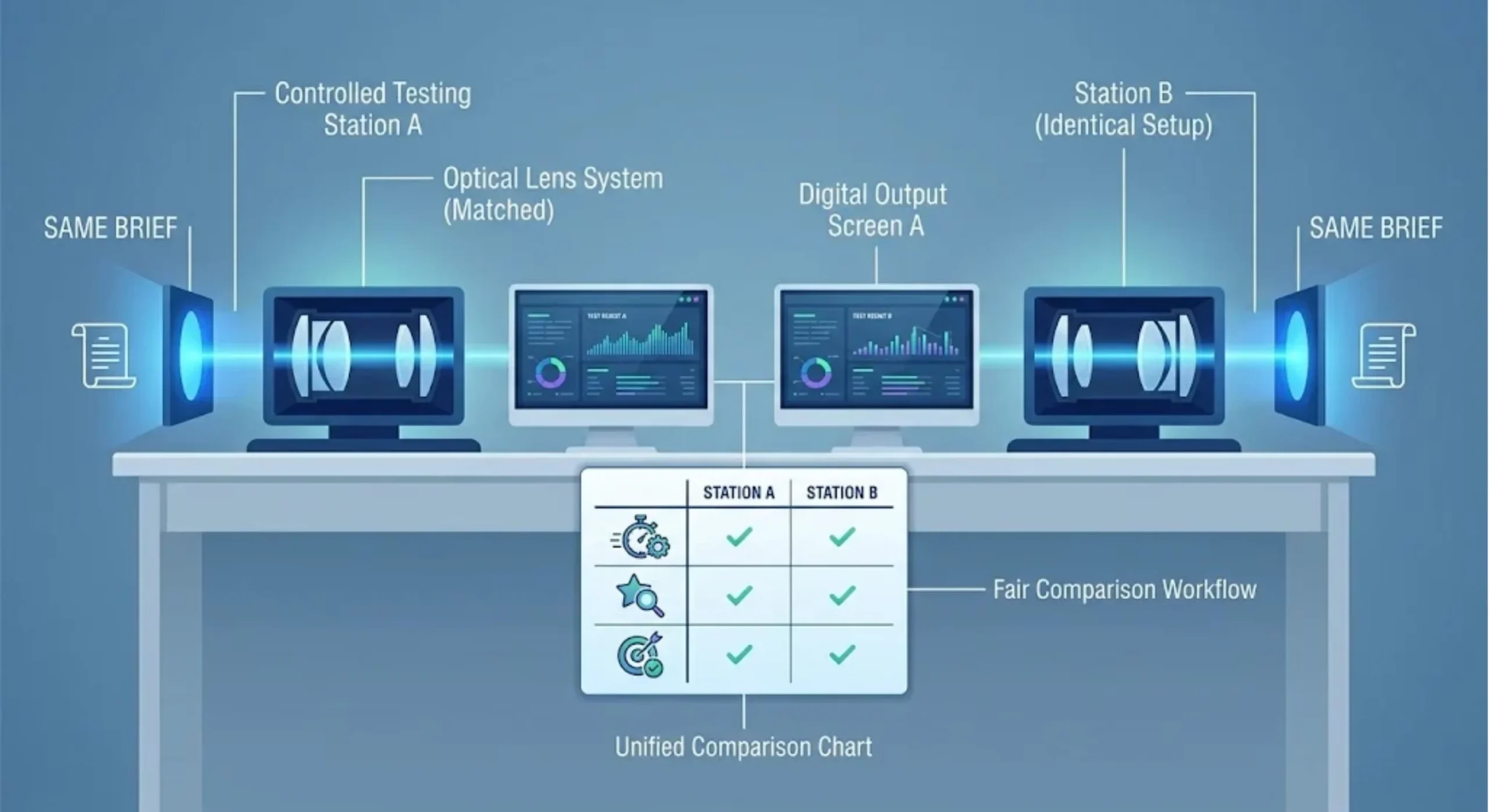
I would give each tool the same brief, then run the resulting prompts through the same target model under comparable settings.
Otherwise, it becomes very easy to credit the prompt tool for an improvement that actually came from changing the model, version, or generation settings.
Text Test: Preserve Product Facts
Create a prompt for writing product-page copy.

Facts: Blue ceramic mug, 300 ml capacity, one handle, sold individually.
Audience: Gift shoppers.
Output: One headline, a short description, and three feature bullets.

Do not invent care instructions, certifications, discounts, or warranties.
Use plain, warm language.
This is deliberately simple, which makes it surprisingly useful.
I would check whether the generated prompt preserves every supplied fact, adds genuinely useful structure, and resists the temptation to invent care instructions, warranties, discounts, certifications, or other product claims that were never provided.
A prompt generator that makes the brief sound more professional while quietly changing the product has failed the important part of the test.
Image Test: Preserve the Visual Brief
Create a prompt for a product photograph of a blue ceramic mug.

Show the complete mug slightly below center.
Use a pale stone surface and soft daylight from the left.
Keep the background uncluttered and leave open space above.
Do not add lettering or extra handles.

Target model and interface: [Specify Model, Version, and Interface].
Here, I would look for a different kind of discipline.
Does the tool preserve the actual composition? Does it keep the mug below center? Does it maintain the light direction and open space? Does it avoid casually adding decorative typography or another handle because the model “thought” the scene needed more detail?
Then I would inspect any extra model-specific controls the prompt generator added and confirm that the selected version and interface actually support them.
Finally, I would generate the image and judge the result itself. A beautifully formatted prompt is not much comfort if the mug is cropped in half and lit from the wrong side.
Record the Result, Not Just the Prompt Length
- Intent preservation: Did the tool change the task?
- Factual restraint: Did it add unsupported information?
- Compatibility: Are the suggested controls supported?
- Editing effort: How much cleanup did you need?
- Output quality: Did the final result meet your criteria?
- Total cost: What did drafting, execution, and retries cost?
I would also repeat anything important.
One excellent output tells you that the workflow can work. It does not tell you how consistently it works.
When Paid Prompt Optimization Software Actually Makes Sense
Paying for a prompt tool starts to make more sense when it removes a recurring problem rather than simply making prompts look more elaborate.
Maybe the real bottleneck is organizing approved templates across a team. Maybe you need a shared library that people can reuse without rebuilding everything. Or perhaps you are comparing many prompt versions and need a more systematic evaluation workflow.
Those are concrete problems worth paying to solve.
Before subscribing, I would identify the exact feature doing the work.
A huge prompt library is not especially valuable if you repeatedly use the same two templates. A longer generated prompt is not inherently more effective. And a premium “optimization” label means very little unless you understand what was actually optimized.
For a small number of personal tasks, a free generator combined with your own well-maintained template collection may already be enough. Our copy-and-customize AI prompt examples can provide starting points without requiring another subscription.
Production software is a different story.
Once prompts become part of a real application, drafting is only one layer. You may also need version control, evaluation datasets, access controls, validation, and a way to track failures over time.
I would verify those capabilities explicitly instead of assuming any product with “prompt optimization software” in the description automatically includes them.
Frequently Asked Questions
What Is the Best AI Prompt Writer?
There is no single winner for every workflow. Promptsera is a practical choice for multi-model drafting, AIPRM emphasizes template discovery and reuse, Anthropic’s Console is suited to Claude-focused development, and Promptomania is centered more heavily on visual prompt exploration. This review does not establish a universal output-quality winner.
Is Promptsera Free?
Promptsera’s public site advertises free access without requiring a login. The AI service you use to execute the finished prompt may still have its own subscription, API, or generation charges.
Can a Prompt Generator Improve an Existing Prompt?
Yes, some tools can help reorganize, expand, or clarify an existing prompt. I would still review every change carefully, because a tool can improve readability while simultaneously introducing assumptions or deleting a constraint that mattered.
Do I Need Different Prompts for Different Models?
Often, yes. The core task may transfer reasonably well, but syntax, model controls, supported parameters, and output behavior can differ. Check the instructions for the specific model and interface before reusing the exact same prompt everywhere.
Are Paid Prompt Tools More Accurate?
Not automatically. Price can buy better organization, collaboration features, larger libraries, or workflow convenience, but none of those guarantee that the model’s final answer will be more accurate. Test the actual outputs against your own criteria.
Were These Tools Tested Hands-On?
No controlled output benchmark was performed for this article. The comparison is based on public product information and documentation, and the recommendations describe the documented use cases and limitations of each tool.
Choose the Tool That Fixes the Actual Problem
The useful way to choose an AI prompt writer is not by asking which site produces the most impressive-looking wall of instructions.
Ask what is slowing you down.
If the blank page is the problem, use a generator. If you keep rebuilding the same instructions, a reusable prompt library may be more valuable. If you are building a Claude application, a development-oriented template workflow makes more sense. And if you know the image you want but cannot quite describe it, a visual prompt builder is the more obvious fit.
For a flexible starting point across models, try the Promptsera AI prompt generator. You can also browse the AI Prompt Generators & Tools Directory if you need something more specialized.
The final test is still the same one I would use for any AI workflow: did the tool preserve what you meant, and did it reduce the amount of work needed to reach an acceptable result?
If the answer is yes, the tool is doing something useful. If the prompt is simply longer and shinier, it probably isn’t.



)