
ChatGPT can produce an impressively polished answer to the wrong question. I can ask it to write an email, explain a topic, or improve a product description, and get something that looks finished at first glance. Then I notice the problem: it aimed at the wrong audience, quietly invented a detail, or gave me an answer in a format I never wanted.
In many cases, ChatGPT is not missing some magical prompt-engineering trick. It is missing a clearer brief.
That is really what learning how to write a ChatGPT prompt comes down to. Tell ChatGPT exactly what result you need, give it the information it should rely on, and then inspect the answer for the particular thing it got wrong. The process is less mystical than the phrase “prompt engineering” sometimes makes it sound.
I am going to turn the fundamental prompt writer principles into a practical workflow you can actually use. Along the way, I will use three reusable formulas: Task-Context-Constraint for fast requests, CREATE for assignments with more moving parts, and Role-Persona for situations where the audience changes how the answer should be written.
Pick a real task while you read. By the end, you should have a prompt you can paste directly into ChatGPT, test, correct, and reuse rather than another page of prompting theory to forget about tomorrow.
How Do You Actually Write a Good ChatGPT Prompt?
The short version is this: state the task, provide the relevant context, define the boundaries, and describe the output you want.
You do not need strange syntax, pseudo-code, or a 900-word declaration about ChatGPT being the world’s greatest expert. A useful prompt can look as ordinary as this:
Write a polite reply to a customer whose parcel is delayed.
The carrier has not provided a delivery date.
Offer to investigate, but do not promise when the parcel will arrive.
Keep the reply under 100 words and return only the email draft.
Now compare that with, “Write a customer email.”
The second version technically contains a task, but almost everything else has been left for ChatGPT to guess. The first version tells it what happened, prevents it from inventing a delivery promise, sets the length, and tells it exactly what I want returned.
That is where things get interesting. A good prompt does not have to be long. It only has to resolve the decisions that materially change the answer. Add detail when the detail matters instead of turning every request into a technical specification for launching a spacecraft.
Step-by-Step: Write Your First ChatGPT Prompt
I use the same basic brief-and-review method explained in our comprehensive prompt writer guide, but it is easier to understand with something concrete.
For this walkthrough, I will use a fictional online store launching a blue ceramic mug. It is deliberately ordinary, because ordinary tasks are exactly where vague prompts often create surprisingly annoying results.
Step 1: Name One Deliverable
I start by asking a simple question: what exactly am I expecting ChatGPT to hand back?
That might be an email, a document summary, a comparison, a lesson plan, or a product description. If I cannot name the deliverable clearly, choosing a sophisticated prompt formula is not going to rescue the request.
Write a product description for a blue ceramic mug.This is already more useful than “write about this mug,” but it still leaves quite a lot of room for improvisation. ChatGPT does not know who the customer is, why they might care, which facts are verified, or what the final copy should look like.
Step 2: Add the Audience and Purpose
Next, I tell ChatGPT who is going to read the answer and what the copy is supposed to accomplish.
The useful part here is not inventing an elaborate marketing persona called “Sarah, 34, who enjoys autumn and artisanal candles.” I only include audience details that should genuinely change the wording or emphasis.
The description will appear on an online store.
The audience is people buying practical gifts for coffee drinkers.
Now the model has a reason for the copy to sound useful and gift-oriented without being asked to manufacture an entire fictional demographic profile.
Step 3: Give ChatGPT the Facts
This is the part I never want the model freelancing on.
For the example, I am using a fictional specification. If this were a real product, I would replace every item below with verified information from the actual product page, manufacturer, internal specification, or another source I trust.
Product facts:
- Blue glazed ceramic
- 300 ml capacity
- One handle
- Raised botanical pattern
- Sold individually
If the task depends on a document, I can paste the relevant passage or attach the file where that is supported. I also make it clear whether the attachment is supposed to provide facts, writing style, or both. Otherwise, ChatGPT may cheerfully treat an example paragraph as factual source material, which is rarely the surprise I am looking for.
Step 4: Put Fences Around the Important Stuff
Now I look for the claims that would make the answer unusable if ChatGPT invented them.
For a mug, obvious traps include dishwasher safety, microwave safety, manufacturing methods, or sweeping quality claims. The model has seen thousands of product descriptions, so without boundaries it can easily fill in the blanks with things that sound plausible.
Use only the supplied product facts.
Do not claim dishwasher safety, microwave safety, or handmade production.
Avoid exaggerated claims such as "the perfect mug."
This is also where I define what should happen when essential information is missing. For example:
If the capacity is missing, ask for it before drafting.That one line is much better than discovering afterward that ChatGPT decided the mug was 350 ml because apparently the fictional ceramic industry demanded closure.
Step 5: Tell It What the Finished Answer Should Look Like
Even a factually correct answer can be annoying if I have to spend another five minutes breaking it into the format my website, email platform, or document needs.
So I specify the output at the prompting stage:
Return one headline of up to eight words, an approximately 80-word
description, and three short feature bullets. Use warm, plain English.
Now ChatGPT knows not just what to say, but what I intend to do with the answer.
Step 6: Send It, Then Judge the Answer Against the Brief
Once the instructions are combined, I send the prompt and inspect the answer against what I actually asked for.
I check the facts before I start fussing over whether an adjective feels slightly too enthusiastic. A beautifully written description that invents dishwasher safety has already failed.
If something is wrong, I do not throw away the entire prompt and write “try again.” I identify the mismatch, keep the parts that worked, and change the part that did not.
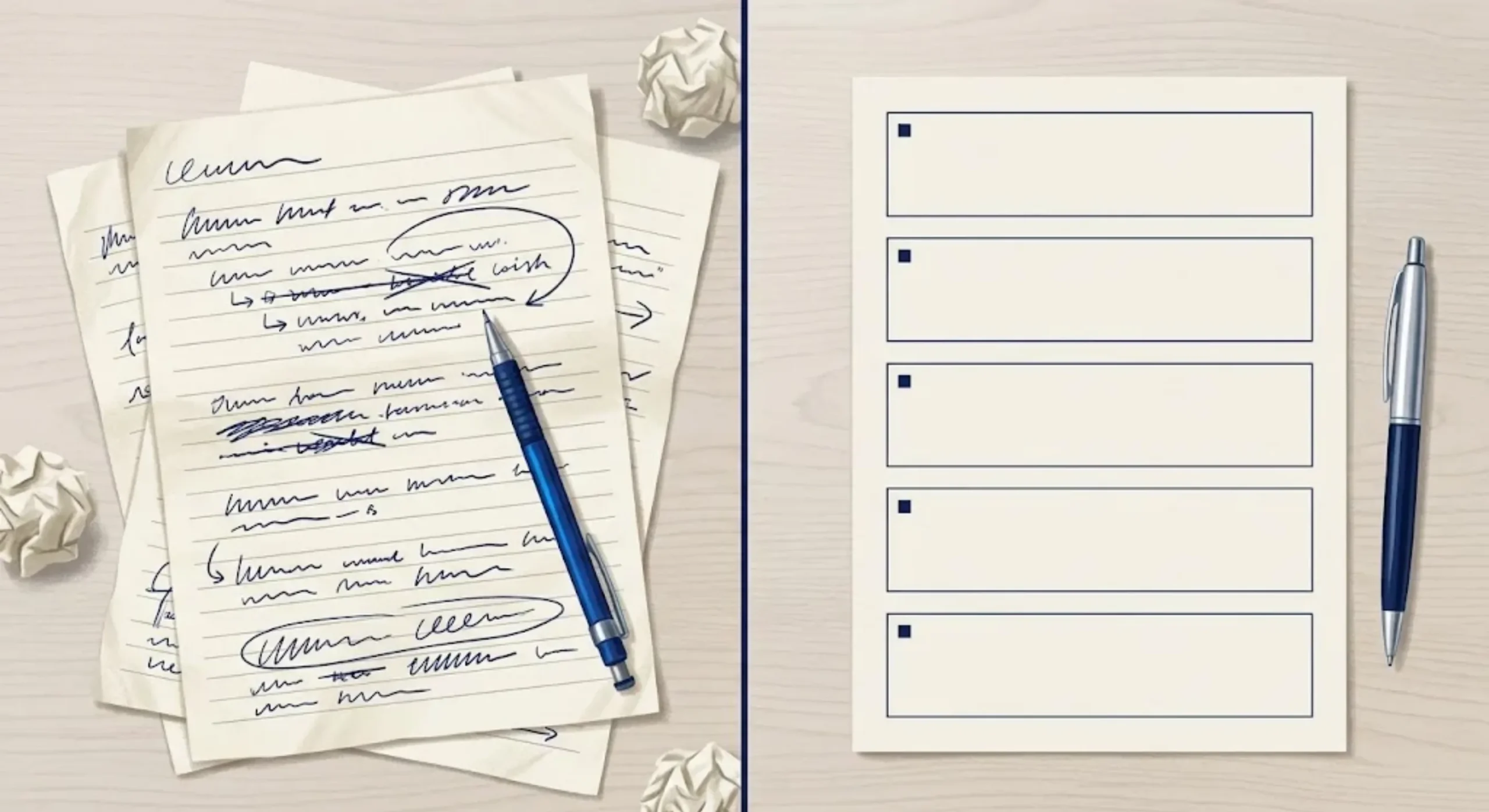
Formula 1: Task-Context-Constraint
Best for: short writing tasks, summaries, everyday explanations, and quick revisions.
If I need something done quickly, this is usually where I start. The formula divides the request into three obvious pieces: what ChatGPT needs to do, what it needs to know, and what it must not get wrong.
Task contains the deliverable. Context contains the audience, purpose, facts, or source text. Constraints contain things like length, tone, formatting, and factual boundaries.
Copy-and-Paste Template
Task: [Describe the deliverable and action.]

Context: [Provide the audience, purpose, and relevant facts or text.]

Constraints: [State length, tone, format, and factual boundaries.]
If [essential information] is missing, [ask / flag it / leave a placeholder].
Worked Example: Product Copy
Task: Write product-page copy for a blue ceramic mug.

Context: The audience is gift shoppers buying for coffee drinkers.
Facts: Blue glazed ceramic, 300 ml capacity, one handle,
raised botanical pattern, sold individually.

Constraints: Use warm, plain English and only the supplied facts.
Do not claim dishwasher safety, microwave safety, or handmade production.
Return an eight-word maximum headline, an approximately 80-word
description, and three short feature bullets.
I like this formula because it stays compact. The same structure works for “summarize these notes for my manager,” “rewrite this paragraph for beginners,” or “turn these meeting notes into an email” without forcing me to invent a grand professional persona first.
When Three Sections Stop Being Enough
There is a point where Task-Context-Constraint starts becoming a suitcase I am sitting on to get the zipper closed.
If the Constraints section is filling up with exceptions, examples, formatting instructions, acceptance criteria, and special cases, I move to CREATE. The purpose of a framework is to make the prompt easier to inspect. If all I have done is hide 20 instructions beneath one heading, the framework has stopped helping.
Formula 2: CREATE
Best for: detailed content briefs, reusable team prompts, and assignments with several important requirements.
CREATE is useful when the task has enough moving pieces that I want each kind of instruction to have its own place.
There is one important caveat: CREATE has several interpretations across prompting guides. In this article, I am using it to mean Character, Request, Examples, Adjustments, Type, and Extras.
It is an organizational mnemonic. It is not an official ChatGPT command, and putting the word CREATE above a mediocre brief does not unlock a secret reasoning chamber inside the model.
| Letter | Meaning | What to include |
|---|---|---|
| C | Character | The relevant working role. |
| R | Request | The specific task to complete. |
| E | Examples | A sample that demonstrates the desired result. |
| A | Adjustments | Constraints, tone preferences, and exclusions. |
| T | Type | The output format and structure. |
| E | Extras | Source facts, missing-data rules, and acceptance checks. |
Copy-and-Paste Template
Character: Work as a [relevant role].

Request: Create [specific deliverable] for [audience and purpose].

Examples: Use this example to understand [style / structure / labeling]:
[Insert example. Explain which details are only illustrative.]

Adjustments: Follow [tone, length, boundaries, and exclusions].

Type: Return [sections, table columns, or another defined format].

Extras: Use these facts: [verified information].
If essential information is missing, [desired behavior].
Check the result against [two or three acceptance criteria].
Worked Example: A Product Launch Email
Character: Work as an ecommerce email copy editor.

Request: Draft one launch email introducing a blue ceramic mug
to existing newsletter subscribers.

Examples: Match the restrained tone of this illustrative sentence:
"A simple addition to your morning coffee routine."
Use it as a tone reference, not a sentence you must repeat.

Adjustments: Avoid pressure tactics, invented discounts, scarcity,
and unsupported product claims. Keep the body between 100 and 140 words.

Type: Return a subject line, preview text, body, and one CTA button label.

Extras: Facts: Blue glazed ceramic, 300 ml capacity, one handle,
raised botanical pattern, sold individually.
The CTA should invite readers to view the product.
Do not invent a price or product URL.
Check that all product claims match the supplied facts.
The example has a very specific job here: it demonstrates restraint.
That matters because examples can accidentally become facts if they contain too much decorative detail. I do not want a fictional testimonial, imaginary discount, or made-up product benefit slipping into the final copy simply because I included it in a style reference.
Do Not Fill Every Section Just Because It Exists
Prompt frameworks have an odd ability to make empty boxes feel mandatory. I resist that.
If I do not have a genuinely useful example, I leave Examples out. If a professional role adds nothing to the task, I remove Character. A framework is supposed to make ChatGPT prompt writing easier to understand, not turn “rewrite this paragraph” into a six-part government application.
Formula 3: Role-Persona
Best for: teaching, customer communication, editing, and tasks where the reader’s background strongly affects the answer.
This formula separates two things people often blend together.
Role is the working perspective I give ChatGPT. Persona is the person who will read the answer.
The distinction is useful because prompts often spend half their word count telling ChatGPT that it is a “world-class legendary expert” while saying almost nothing about the human who actually needs the explanation.
Copy-and-Paste Template
Role: Work as a [relevant role] responsible for [specific task].

Audience persona: The reader is [relevant background], wants [goal],
and needs help with [specific difficulty].

Task: Produce [deliverable] using [supplied information].

Communication: Use [tone and level of detail]. Explain [unfamiliar terms].

Boundaries: [Accuracy rules and things not to assume.]

Output: [Required structure and length.]
Worked Example: Explain Something to a Beginner
Role: Work as a patient spreadsheet tutor.

Audience persona: The reader runs a small online shop, understands basic
addition, and has never used spreadsheet formulas.

Task: Explain how to calculate revenue from units sold and unit price.
Use a fictional example of 12 mugs sold at $15 each.

Communication: Use plain English and explain what a cell reference means.

Boundaries: Distinguish revenue from profit. Do not invent costs or taxes.

Output: A short explanation, a two-row table showing where to enter
the inputs, the formula =A2*B2, and the expected result of $180.
The important instruction is not that ChatGPT should be a “legendary tutor.” It is that the reader has never used spreadsheet formulas and therefore needs cell references explained.
That changes the answer in a measurable way.
It is also worth remembering that assigning ChatGPT a role does not magically give it verified credentials. “Act as an experienced financial adviser” is not evidence that the resulting financial advice is correct. I still judge factual claims by their evidence, not by how authoritative the assigned role sounds.
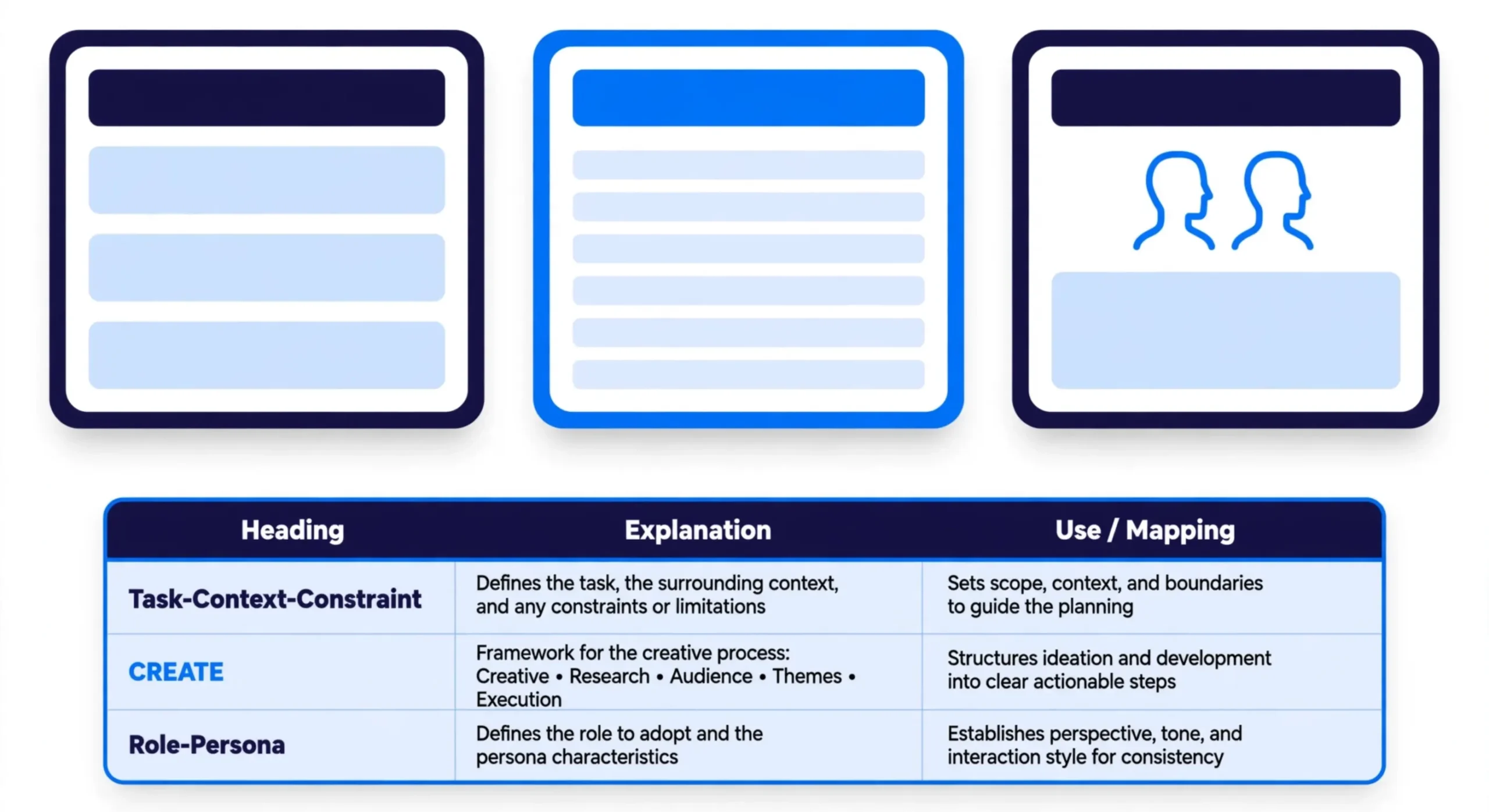
Which ChatGPT Prompt Formula Should You Use?
I would start with Task-Context-Constraint unless the task gives me a reason not to.
It is easy to assume that the longest framework must produce the best answer, but that is not how I approach it. I switch structures when another one makes the instructions easier to understand.
| Your situation | Suggested formula | Reason |
|---|---|---|
| You need a short email or summary. | Task-Context-Constraint | Keeps the request compact. |
| You have a detailed brief and a style example. | CREATE | Separates examples, rules, and output requirements. |
| The reader needs a specific level of explanation. | Role-Persona | Centers the reader’s background and goal. |
I would not stack all three formulas into one enormous prompt. They overlap. Each is simply a different way of organizing roughly the same kinds of information.
And to be fair, none of these formulas has been benchmarked here as universally superior. The examples are practical drafts designed to show how the structures work. Your own recurring tasks are where the real test happens.
How I Fix a Bad ChatGPT Answer with Follow-Up Prompts
I treat the first ChatGPT answer as something to inspect, not something that automatically earns a place on the website because the grammar looks confident.
The useful question is: what specifically failed?
Once I can name that, the follow-up prompt becomes straightforward.
If the Answer Is Too Generic
Replace the general introduction with a direct description of the mug's
300 ml capacity and raised botanical pattern. Keep the warm tone.
This tells ChatGPT which part is weak and which details should replace it. “Make it better” does neither.
If ChatGPT Invented a Fact
Remove the claim that the mug is dishwasher-safe. That information was
not supplied. Check the remaining copy against the original product facts
and remove any other unsupported specifications.
I particularly like the second sentence here because the visible error may not be the only one. If ChatGPT invented dishwasher safety, I want it checking for microwave claims, materials, manufacturing methods, and anything else that slipped in during the same burst of confidence.
If the Tone Is Wrong
Make the language calmer and more specific. Remove exaggerated adjectives
and sales pressure. Keep the existing sections and factual details.
This preserves what already worked instead of inviting the model to rewrite everything from scratch.
If I Need a Different Structure
Keep the approved wording, but separate the output into:
Headline, Description, and Features. Do not add a preamble or commentary.
Again, the correction is surgical. Keep the words. Change the packaging.
Once a correction repeatedly proves useful, I add it to the reusable prompt itself. That way I am not rediscovering the same fix every time I run the workflow.

Using a ChatGPT Prompt Generator Without Handing It the Steering Wheel
A prompt generator can be useful when I know what I want but I am not sure how to organize the brief.
What it cannot do particularly well is read my mind.
If you searched for a “chat gpt prompt generator,” I would start by giving the tool a concrete description of the task rather than asking it to manufacture a perfect prompt from two vague sentences and optimism.
- Open the Promptsera AI prompt generator.
- Describe the task, audience, verified facts, and required format.
- Review the generated prompt for invented assumptions and unnecessary instructions.
- Replace any placeholders, then copy the prompt into ChatGPT.
- Compare the response with your acceptance criteria and revise where needed.
You can also run the prompt through the AI Prompt Checker as another review step.
I would treat its suggestions as edits to consider rather than a certificate announcing that the prompt has achieved mathematical perfection. A checker can point out gaps or unclear wording. It cannot guarantee that the resulting AI answer will be factually correct.
If you need workflows aimed at other models or tasks, the AI Prompt Generators & Tools Directory collects more model-focused tools.
That said, there is no prize for generating a 400-word prompt when you already know how to express the request clearly in six lines. For simple tasks, manual writing can still be faster.
Before I Reuse a Prompt, I Run Through This Checklist
- Task: Does the prompt name a specific deliverable?
- Context: Does the audience description actually change the answer in a useful way?
- Facts: Have I supplied the information the answer depends on?
- Boundaries: Does the prompt say what must not be guessed, invented, or changed?
- Format: Could I use the returned result without rebuilding it manually?
- Consistency: Do the examples agree with the written instructions?
- Review: Have I independently checked the facts that matter?
For prompts I expect to reuse, I test more than the happy path.
I try at least one complete input and another where important information is missing. A reusable template should know what to do when the data is incomplete instead of becoming an enthusiastic fiction generator the moment one field disappears.
Once it behaves properly, I save the revised prompt with a short note explaining when I use it.
I also avoid stuffing confidential customer information into a prompt simply because realistic examples feel more convincing. Anonymized inputs are usually the better choice when they can do the same job.
And if the task depends on current facts, I explicitly request current sources through whatever search tools are available and inspect the evidence myself. A fluent AI answer is still not a time machine.
Frequently Asked Questions
What Is the Best Way to Start a ChatGPT Prompt?
I start with the result I want: “Draft a reply,” “Compare these options,” or “Explain this concept.” Then I add the context and boundaries that materially affect that task.
What Is the Simplest ChatGPT Prompt Formula?
Task-Context-Constraint is the most compact starting point in this guide. State what you want, provide the relevant information, and define the important limits, including the required output format.
Is CREATE an Official ChatGPT Formula?
No. CREATE is a prompting mnemonic, and different guides use different expansions of the letters. In this article, CREATE means Character, Request, Examples, Adjustments, Type, and Extras. I use it simply as a way to organize a more detailed brief.
Should Every Prompt Include “Act As”?
No. A role is useful when a professional perspective meaningfully changes how the task should be handled. For a short rewrite, summary, or straightforward factual question, direct instructions are often enough.
Do I Need to Ask ChatGPT to Think Step by Step?
Not for every task. I would rather specify the deliverable clearly and, when useful, ask for a concise explanation or a calculation I can check. A long reasoning-style answer may look impressive, but length is not proof that the answer is accurate.
Can I Use These Templates with a Free ChatGPT Account?
Yes. These templates are ordinary plain-text instructions. They do not depend on an API or special prompt syntax. Features such as file handling, search, or external tools still depend on what is available in your ChatGPT account.
Why Does the Same Prompt Produce Different Answers?
AI outputs can vary even when the wording stays the same. Conversation context, the model being used, and other settings can also affect the result.
If I am comparing two versions seriously, I keep the input and environment as consistent as possible and repeat important tests rather than treating one lucky answer as definitive.
Turn Your Next Request into a Brief ChatGPT Can Actually Use
If I had to reduce all of this to one practical starting point, I would take a real task and fill in Task-Context-Constraint first.
If the prompt starts accumulating examples, special rules, acceptance criteria, and multiple output requirements, I move to CREATE. If the hard part is explaining something to a particular reader, I use Role-Persona so the audience’s knowledge level does not become an afterthought.
Then I test the prompt.
If ChatGPT gets something wrong, I name the exact mismatch, correct it, and save that improvement for the next run. That iterative part matters more than hunting for a supposedly perfect collection of prompt words.
The best prompt is not the one that looks the most sophisticated. It is the one that reliably gives ChatGPT enough information to do the job without forcing you to clean up a pile of guesses afterward.
Ready to build one? Start with the free Promptsera prompt generator, then run the result through the checklist above before you put it to work.